

jstarne1
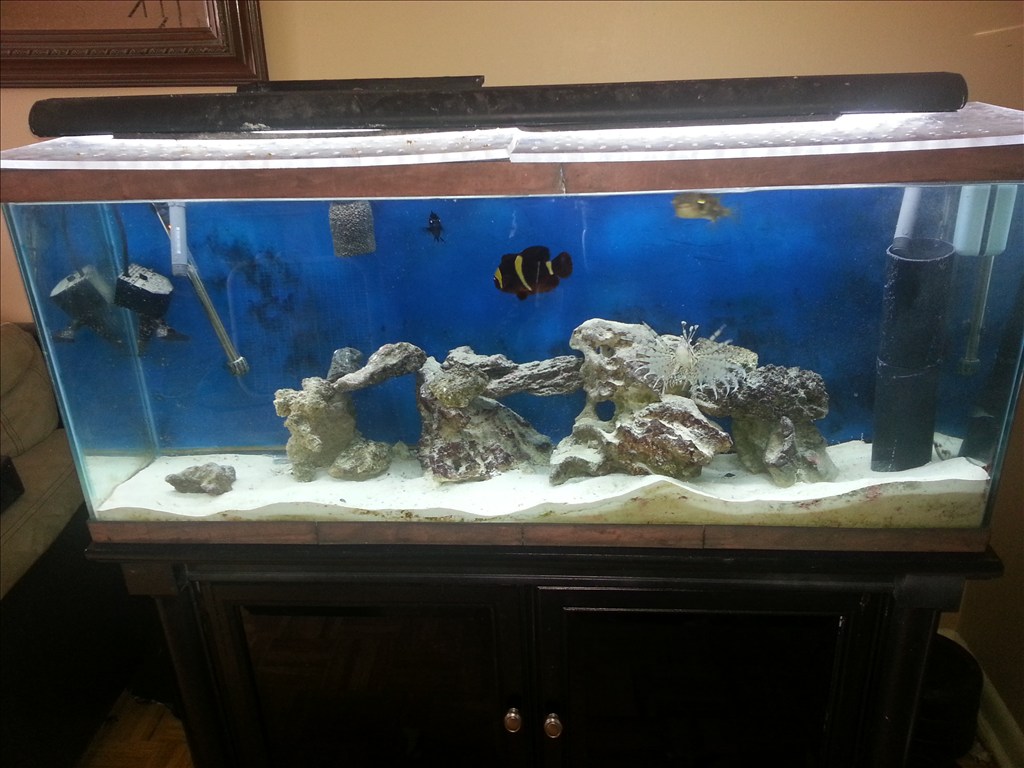
Meet The Smart Saltwater Aquarium Powered By Ez Robot
Ez Robot community I wanted to introduce my latest application of this system. Some members hear already know I keep two salt water aquariums one coral which unfortunately died off and my predator tank. Sea life needs delicate balance maintained in their little ecosystem. Things like light spectrum , temperature, ph balance , current of water , nitrate and ammonia levels and calcium levels. These things take a practiced hand to maintain. I am building a new system and using ez b to monitor salinity, nitrates and ammonia, temp , water current flow and the ph. The ADC ports are useful for these and EZ board can control the current and switching to a backup power supply ( a apc for computers inside the cabinet to keep ezb and pumps powered). Also the ezb can turn on and off night , morning , day , and evening lighting settings. With a custom injection device im designing ezb can provide nutrients , calcium and even medicine if levels are out of wack. I started the build today and I am very excited!

looks good and getting there
For reference D1 is actinic , D2 is Daylight 10000k and D3 is Cheato night light.
Note : Also as an update to the 1st ezb not connecting that I swapped in the video, I used a small screw driver to peel off the tape. , removed tape and pressed Bluetooth module down into the socket and this fixed both ezb with Bluetooth red light not activating. The two affected units were solarbotics pcb early models so maybe they just used double sided tape that was too thick and it was not connecting well to the main board.
The only problem I can see with the script is, what happens if you start it at 09:00? It'll wait until 08:00 to move to line 2, so 23 hours.
There is a global variable $time, I would look at using that and some IFs and ELSEIFs
I'd also use :labels for say :0800 SET(D1, On) SET(D3, On) Return()
:1000 SET (D2, On) Return()
etc.. and call those up with GOTOs, but it's not necessary.
Thanks to the bunch of newly added snippets in the scripts section there may be a lot of hints there for that script, if waiting until 0800 causes problems (it may not).
Note that where Cheato is on overnight and passes over from 24 to 0 the AND and OR are around the other way to Daylight and Antinic which don't.
This will just loop over and over again, you could add a SLEEP() in there if it uses too much resources on a constant loop, there is no need to check constantly, waiting for a minute or two, or even more wouldn't be the end of the world.
I've not tested it, I didn't even write it with ARC in front of me so check it. You can easily test it by replacing $hour with $test, running the script and then open the script console, enter
See what happens, do the same again and change $test to 2, 3, 4 etc.
Slightly altered script which allows easier alteration of the times.
I've assumed Antinic is the daytime light (8am until 8pm) and Cheato is the night time light (8pm until 8am).
Might need to make a script for daylight saving times right now it gets dark about 5pm to 6pm
Fetch the sunrise sunset times from the internet and have it totally automatic...
Lol I arrange the tanks "day" around my work schedule. I have a third light im adding in maybe tonight , it has a purple/uv color to it and I believe it would be ideal for dusk and dawn.