

fredebec
France
Asked
 Resolved by DJ Sures!
Equivalent Of Ezscript's Sleeprandom(A,B) For Python ?
Hi, I used to use a lot SleepRandom(a,b) in my EZ-scripts to simulate random behaviors. I don't find the equivalent for Python scripting.
Outside of ARC, I use the "random" module (random module), but it does not seem to be present in ARC
import random
returns "No module named random".
Is there a way to achieve the same thing than SleepRandom with Python scripting in ARC, or is there a way to import the python random module? Thanks
Related Hardware (view all EZB hardware)

EZ-B V4
by EZ-Robot
EZ-B v4/2 robot controller: dual Cortex ARM, Wi-Fi, audio/video, 24 servo/digital ports, I2C/UART, camera and Synthiam ARC control for custom robots
Wi-Fi / USB
Servos
24
Camera
Audio
UART
3
I2C
ADC
8
Digital
24
Related Robot Skill (view all robot skills)

Script
by Synthiam
Multi-language ARC Script: build, run and debug Blockly, JavaScript, EZ-Script or Python with Intellisense, run/save/load and Roboscratch support

Weird that it's _random.... hmm! Random
Thanks @DJ ! I could have searching for it forever....
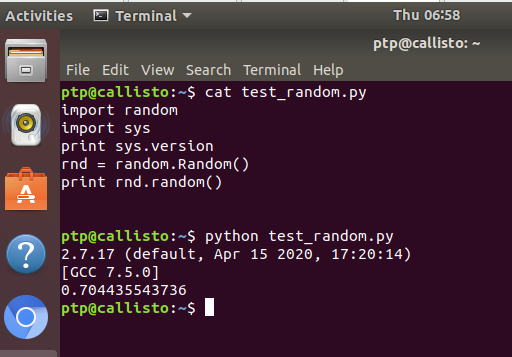
@DJ: You can make it work the same way. You will need to add an additional nuget package to your ARC project:
Regarding the _random:
The other reason is too avoid duplicated import names for the same functionality: _module1 can be called from CPython (C) and a module1 (py) wrapper can coexist and internally calls _module1. Note: Quoted parts/statements are copied from the internet.That’s good to know! Thanks ptp. I seem to be learning python as we go as well
It seems that I cannot use any other attribute than .Random
These following attributes, part of the random module, don't work:
For example, I tried random.Randint , _random.randint , _random.Randint. Each of them returns
Is it me who is missing something... Again ?
I added this to the next update. Stay tuned
Great! Thanks a lot !
I tested rapidly the new beta version before going to work and the "random" module works great, with all the attributes (and without the "underscore" )
Thanks @DJ
)
Thanks @DJ