
 Resolved by

Hi, I'm am rather new to Ez-Robot. I need to program the robot in c# for my final year project and am getting this error as I am adding a reference while viewing the Follow Motion tutorial to see what it can do.Please help or if you could link me to somewhere where it has been discussed before. Thank You!
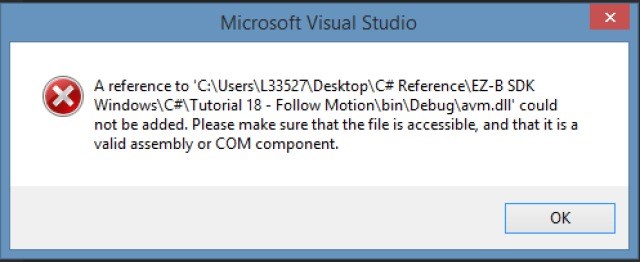

All of the dll's of the SDK need to be in your project folder before you add the references. Read the SDK readme file.
Alan
Hi Alan,
thanks for the quick reply. I have added all the dlls into the bin/debug folder(even those which I don't need). I have also followed the readme instructions but the error message still persist. However, I can now run the application. Thank You!
now how do I mark this as resolved? hahaha
If I tell you will you give me the credit? LOL Just scroll down to the bottom of the page and you'll see the boxes that need to be checked.