Change Release Notes
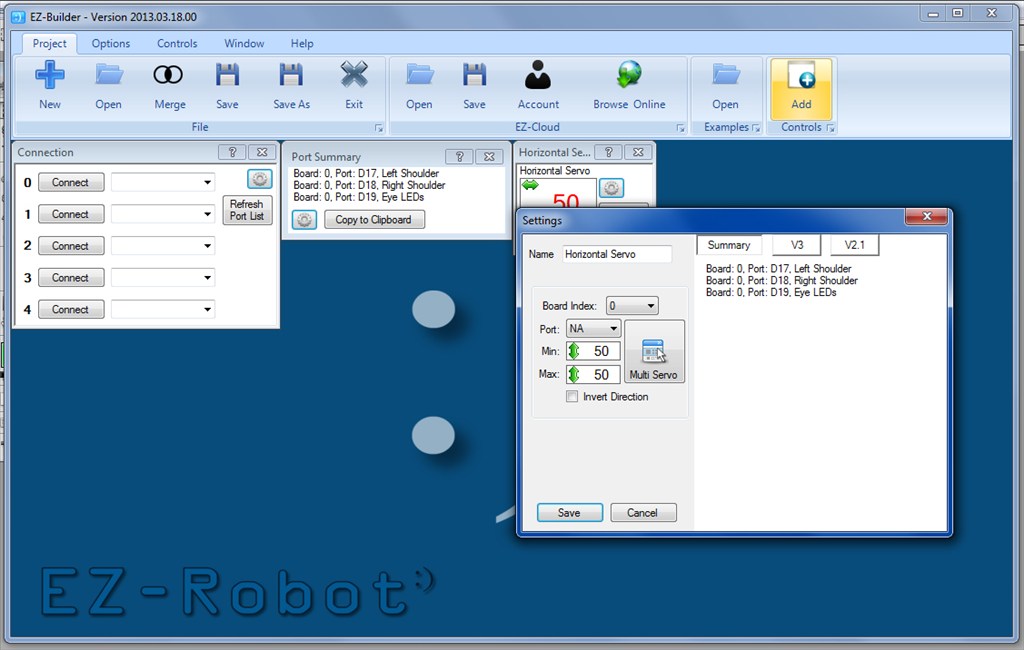
In this update, we introduce an active Debug Window and a Port Summary Control. The Port Summary Control will be used to summarize your connections. When you use the Port Summary, every control that displays an image of the EZ-B will now default to a list of your connections for easy reference. You can easily keep track of peripherals connected to your EZ-Bs
New control: Port Summary
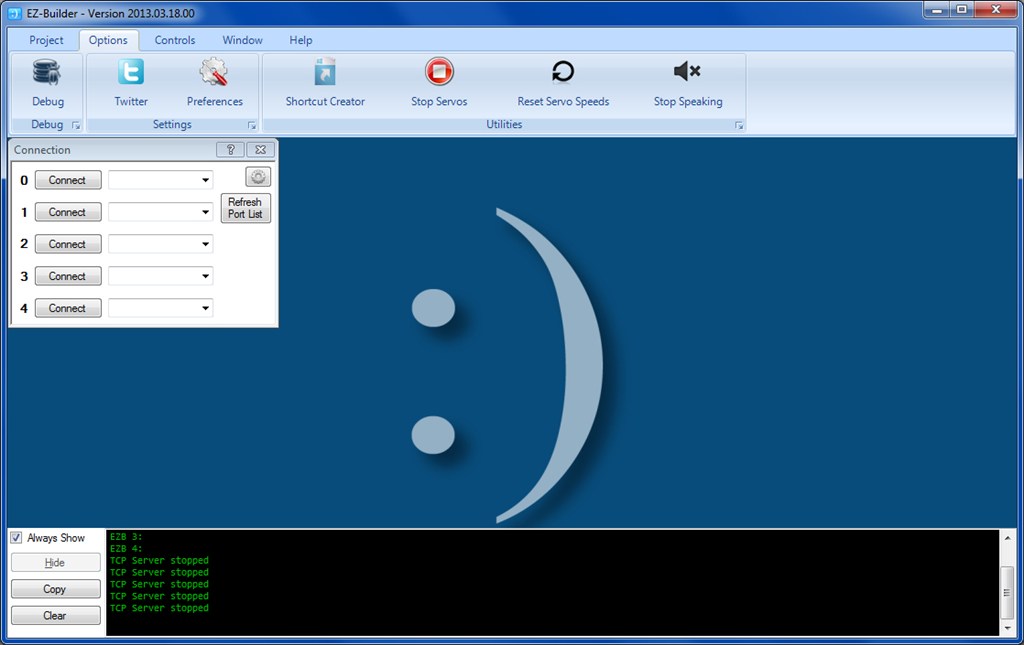
New Active Debug Window. Pops up to display debug information rather than occupying screen realestate with the old Debug Control.
All servo settings default to their center location of 50. This way, when specifying max and min, you do not need to worry about damaging anything by having the servo move past it's structural limit.
ARC Downloads
ARC
FREE- 1 third-party plugin skill per project
- Trial cloud services
- Personal, DIY & education use
- Updated every 6–12 months
 Download
ARC
PRO- Use on 2+ PCs simultaneously
- Unlimited robot skills
- Cloud backup & revision history
- Weekly features & bug fixes
- Business use permitted
ARC
RUNTIME- Load & run any ARC project
- Read-only mode
- Unlimited robot skills
- Includes early access fixes & features
- Minimum requirements: Windows 10 or higher, 2 GB RAM, 500 MB free disk space.
- Recommended: Windows 10 or higher, 8 GB RAM, 1 GB free disk space.
- Prices are in USD.
- ARC Free known issues: view here.
- More about each edition: Download & install guide.
- Latest changes: Release notes.
Compare Editions
| Feature |
ARC
FREE
|
ARC
PRO
|
|---|---|---|
| Get ARC Free | View Plans | |
| Usage | Personal · DIY · Education | Personal · DIY · Education · Business |
| Early access to new features & fixes | — | ✓ |
| Simultaneous microcontroller connections * | 1 | 255 |
| Robot skills * | 20 | Unlimited |
| Skill Store plugins * | 1 | Unlimited |
| Cognitive services usage ** | 10 / day | 6,000 / day |
| Auto-positions gait actions * | 40 | Unlimited |
| Speech recognition phrases * | 10 | Unlimited |
| Camera devices * | 1 | Unlimited |
| Vision resolution | max 320×240 | Unlimited |
| Interface builder * | 2 | Unlimited |
| Cloud project size | — | 128 MB |
| Cloud project revision history | — | ✓ |
| Create Exosphere requests | — | 50 / month |
| Exosphere API access | — | Contact Us |
| Volume license discounts | — | Contact Us |
| Get ARC Free | View Plans |
* Per robot project
** 1,000 per cognitive type: vision recognition, speech recognition, face detection, sentiment, text recognition, emotion detection, azure text to speech

Upgrade to ARC Pro
ARC Pro is more than a tool; it's a creative playground for robot enthusiasts, where you can turn your wildest ideas into reality.
And to think I spend time writing out my port list only the other day.
Great additions Especially the debug which I find I'm using more and more.
That interesting updates, I think I will enjoy the three immediately, and protect joints with mechanical servo position 50 in love
DJ you are fast at giving updates to EZB
I am having a problem with the Custom Movement Panel. It seems that the Speed Control part of the panel no longer functions. I can't seem to get it to change from 255 no matter what value I set it to. The Speed Value in the Custom Movement Panel changes if I use SetSpeed(XX) in a script, but the Speed Control part of the custom Movement Panel does not seem to change the value to anything other than 255. Not sure what revision this problem showed up in. I haven't updated in a while. Just downloaded the lasted revision.
Cant wait for the next EZB update