
Change Release Notes
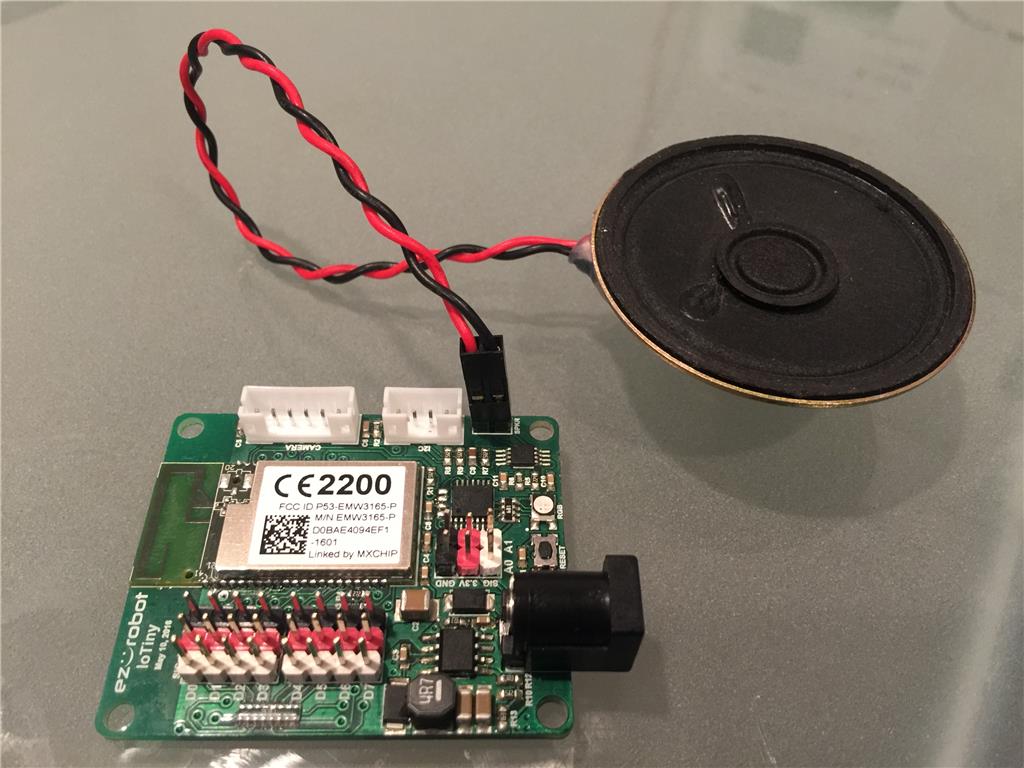
- 100% compatible with ARC for PC, Android and iOS
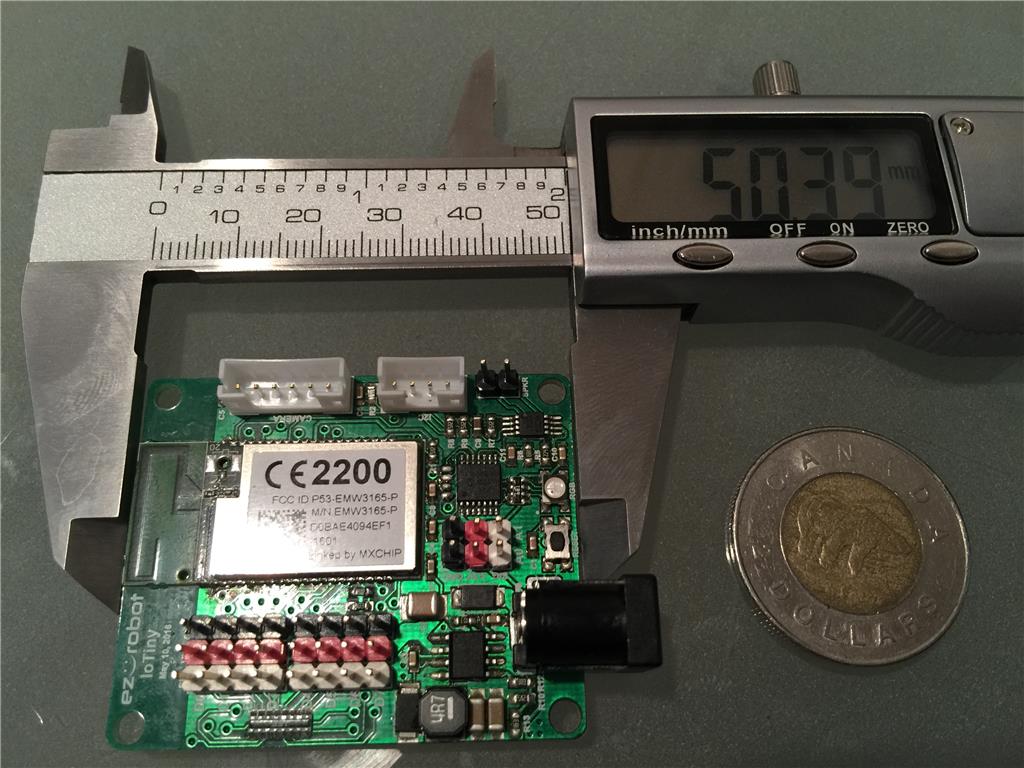
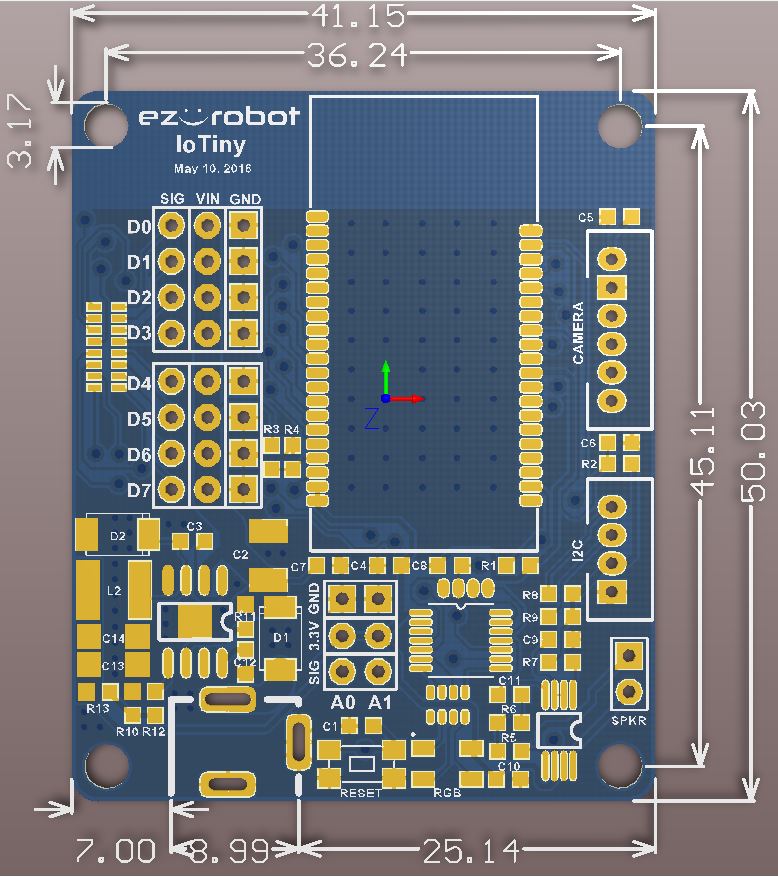
- incredibly small footprint!
- 8 digital I/O (servos, switches, buttons, uart, ultrasonic distance, etc)
- 2 adc
- energy effecient digital switching power supply
- amplified audio and speaker for wifi streaming
- ezrobot camera port
- i2c connector
- web interface
- telnet interface
- OTA firmware upgradable
Best of all, it's going to be very affordable! a fraction of the cost of the ezb v4 powerhouse. This will be great for small diy robots or iot devices.
Status: hardware is done. Firmware has two minor tweaks to complete. Should see it on the store with the other ezbits (inverted pendulum, neo pixel controller, etc) over the summer
ARC Downloads
ARC
FREE
$0
always free
- 1 third-party plugin skill per project
- Trial cloud services
- Personal, DIY & education use
- Updated every 6–12 months
 Download
Recommended
ARC
PRO
$8.99
per month
- Use on 2+ PCs simultaneously
- Unlimited robot skills
- Cloud backup & revision history
- Weekly features & bug fixes
- Business use permitted
ARC
RUNTIME
$0
always free
- Load & run any ARC project
- Read-only mode
- Unlimited robot skills
- Includes early access fixes & features
- Minimum requirements: Windows 10 or higher, 2 GB RAM, 500 MB free disk space.
- Recommended: Windows 10 or higher, 8 GB RAM, 1 GB free disk space.
- Prices are in USD.
- More about each edition: Download & install guide.
- Latest changes: Release notes.
Compare Editions
| Feature |
ARC
FREE
|
ARC
PRO
|
|---|---|---|
| Get ARC Free | View Plans | |
| Usage | Personal · DIY · Education | Personal · DIY · Education · Business |
| Early access to new features & fixes | — | ✓ |
| Simultaneous microcontroller connections * | 1 | 255 |
| Robot skills * | 20 | Unlimited |
| Skill Store plugins * | 1 | Unlimited |
| Cognitive services usage ** | 10 / day | 6,000 / day |
| Auto-positions gait actions * | 40 | Unlimited |
| Speech recognition phrases * | 10 | Unlimited |
| Camera devices * | 1 | Unlimited |
| Vision resolution | max 320×240 | Unlimited |
| Interface builder * | 2 | Unlimited |
| Cloud project size | — | 128 MB |
| Cloud project revision history | — | ✓ |
| Create Exosphere requests | — | 50 / month |
| Exosphere API access | — | Contact Us |
| Volume license discounts | — | Contact Us |
| Get ARC Free | View Plans |
* Per robot project
** 1,000 per cognitive type: vision recognition, speech recognition, face detection, sentiment, text recognition, emotion detection, azure text to speech

Upgrade to ARC Pro
Unleash your robot's full potential with the cutting-edge features and intuitive programming offered by Synthiam ARC Pro.
No prob @RR, I'm looking forward to what you come up with!
Ah geeze guys you did it again! I'm developing something new, that I struggled to to fit the full sized EZB into. The timing is impeccable....I'll take a dozen when they come in! Fantastic job again...finally the EZB mini!
May I ask what the current draw of this little thing will be? I'm getting creative all up in my head, and need this info to make some designs!
My Minion hack will soon live! Two are built but had no room for an EZBv4. A LoTiny will allow me to do the movement and sound (with existing speaker), and will easily fit. Thanks EZ Robot team (especially Jeremie).
Ron
Thanks guys, I really appreciate the kudos!
@MazeHorizonTech sorry I haven't had a chance to respond yet, it's been a busy couple days.
Here's some rough current draw specs for you:
IoTiny connected via WiFi to my laptop about a foot away, 7.4V input, no peripherals connected and no audio: 60mA
Same scenario + Version 1 Camera: 140mA
Same scenario + Version 2 Camera: 120mA
Same scenario (audio enabled) + Version 2 Camera + Music playing: 190mA
Just note that there are more than a few variables that can effect current draw:
Having a weak signal may increase current draw due to the WiFi transceiver working harder
With a switching power supply, a higher voltage input allows the circuit to run more efficiently so, in turn, current draw decreases
The more bass in your music/voice = more current draw
Attaching I2C add-ons will draw more current, the amount completely depends on the device connected
Adding servos will dramatically increase the current draw, especially under heavy load
Adding Analog sensors will also increase current draw but usually it's only a few milliamps for most sensors
Hope that helps!
Great! Thanks Jeremie!