Change Release Notes
Do you have a RoboSapien toy kicking around? Time to do something awesome with it! This EZ-Robot release implements a few new awesomeness! Yeah, "awesomeness" is a word. With the new firmware update from this release, you may now follow our tutorial video and control your RoboSapien v1 and v2.
This release also implements a long over due feature for file associations. The .EZB files are now associated with ARC, this also includes downloadable internet files too. When you are on the community forum, and someone has pasted an EZB file, you can click and select OPEN. The file will be openned into ARC directly. Also, you can double-click any EZB file on your drive and open ARC.
- RoboSapien Movement Panel
- RoboSapien EZ-Script commands (all remote commands supported)
- File Associations
- 4800 BPS Baud Serial Support
ARC Downloads
ARC
FREE- 1 third-party plugin skill per project
- Trial cloud services
- Personal, DIY & education use
- Updated every 6–12 months
 Download
ARC
PRO- Use on 2+ PCs simultaneously
- Unlimited robot skills
- Cloud backup & revision history
- Weekly features & bug fixes
- Business use permitted
ARC
RUNTIME- Load & run any ARC project
- Read-only mode
- Unlimited robot skills
- Includes early access fixes & features
- Minimum requirements: Windows 10 or higher, 2 GB RAM, 500 MB free disk space.
- Recommended: Windows 10 or higher, 8 GB RAM, 1 GB free disk space.
- Prices are in USD.
- More about each edition: Download & install guide.
- Latest changes: Release notes.
Compare Editions
| Feature |
ARC
FREE
|
ARC
PRO
|
|---|---|---|
| Get ARC Free | View Plans | |
| Usage | Personal · DIY · Education | Personal · DIY · Education · Business |
| Early access to new features & fixes | — | ✓ |
| Simultaneous microcontroller connections * | 1 | 255 |
| Robot skills * | 20 | Unlimited |
| Skill Store plugins * | 1 | Unlimited |
| Cognitive services usage ** | 10 / day | 6,000 / day |
| Auto-positions gait actions * | 40 | Unlimited |
| Speech recognition phrases * | 10 | Unlimited |
| Camera devices * | 1 | Unlimited |
| Vision resolution | max 320×240 | Unlimited |
| Interface builder * | 2 | Unlimited |
| Cloud project size | — | 128 MB |
| Cloud project revision history | — | ✓ |
| Create Exosphere requests | — | 50 / month |
| Exosphere API access | — | Contact Us |
| Volume license discounts | — | Contact Us |
| Get ARC Free | View Plans |
* Per robot project
** 1,000 per cognitive type: vision recognition, speech recognition, face detection, sentiment, text recognition, emotion detection, azure text to speech

Upgrade to ARC Pro
Don't limit your robot's potential – subscribe to ARC Pro and transform it into a dynamic, intelligent machine.
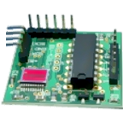
Yes its is a PIC microcontroller that is called EZ-B
For the Robosapien click here for tutorial
For another robot you need to add a motor controller like a H bridge such as a Sabertooth board. Or even easier use modified servos to drive the wheels of something they connect directly to the EZ-B board.
As an example each project in ARC can have one movement control which then controls the robots movement and interfaces with any other control you might add to your ARC project. So if you configured a movement control for your robot or Robosapien then you could simply add a Joystick or Wii remote control and that will control your robot without doing anything else. Thats the genius of ARC and the EZ-B board.
You will have to able to do some simple soldering and understand some basic concepts and you'll be fine
Perhaps your teacher should look on this site?
Pleased you have the kit thats a good start
So it doesnt need to hack you just connect the power or your ez-b to your robot on/of button and another wire for your cam and the joystick does it connect by it self or you need to do something for that
As I said follow the tutorials
But on the robosapien you have also 7 motors but you need only connect the power to the ez-b controller and the IR sensor to the port D0 D1 but how do you connect the camera
And i wanted to ask do have this product in stock because my friend wanted to buy one also
if you can help thanks
@wajih_sethi Welcome The camera is wireless and does not require a connection - unless you wish to provide direct power to the camera instead of using the internal batteries.
Here is a link with a tutorial video: https://synthiam.com/Robots/RoboSapien
And yes, there are plenty of EZ-Robot Complete Kits in stock
Enjoy
Hey DJ thanks for your replay
And the servo motor where do you connect it because you use the power on the controller and the IR SENSOr on the ports D0 and D1 and where to connect the servo motor
Hello Sethi, please follow the tutorial section on our website. The EZ-B Controller has 20 digital ports and 8 analog ports. The 20 digital ports can automatically control servos, serial devices, etc.. It's magic, really
Tutorial: https://synthiam.com/Tutorials
:)
Hello I tested the standard servo and its great but when i try speach recenation its gives an error of ad control can you help and i watched the tutorial of servo(D14,1) but if i click on the speech recenation but the rest work perfect thanks