

Change Release Notes
ARCx 2026.10.12.00 is all about making your day-to-day workflow smoother while quietly leveling up what your robots can see and do. This release brings smarter workspace and task tooling to the UI, introduces a brand-new Depth Sensing service for depth cameras, and includes key reliability improvements (plus a few quality-of-life updates for docs, installer, and developer workflows).
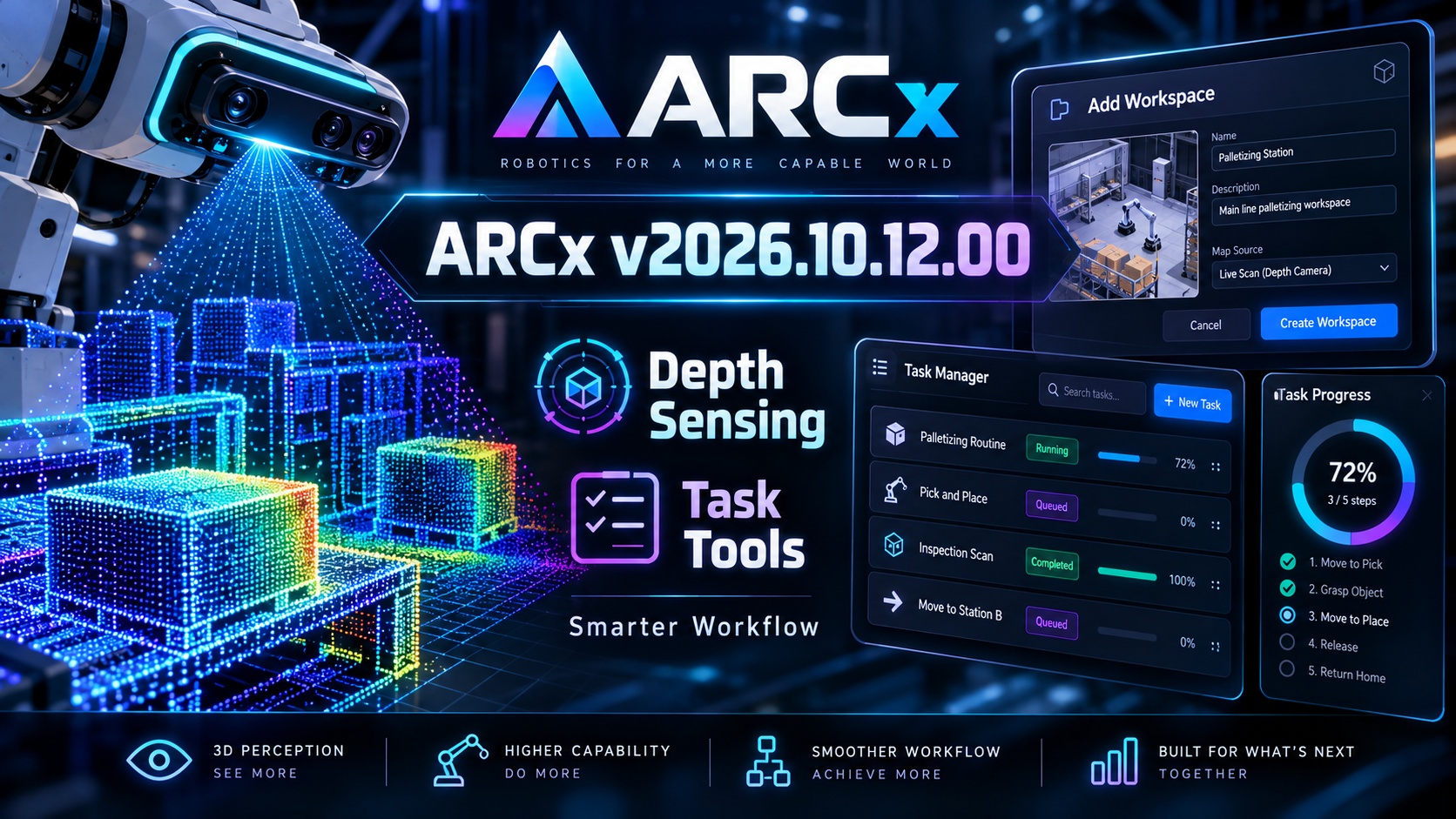
Workspace & UI upgrades
New "Add Workspace" dialog
- Added
UCAddWorkspaceDialogto make creating a new workspace fast and friendly. - Includes title validation so you can’t accidentally create an unnamed workspace.
- Added
Layout integration + consistency improvements
- Updated
MainLayout,AnonymousLayout, andCustomUILayoutto integrate the new workspace flow and keep behavior consistent across views. - Refactored layout structure to remove unnecessary dependencies and improve overall cleanliness and responsiveness.
- Updated
Updated styling
- Refreshed
arcx.cssto match the new UI components and layout changes.
- Refreshed
Built-in Task Management components
New task-focused UI components were added to help track and visualize work inside ARCx:
- Added task management components including:
UCTaskChartUCTaskManagerUCTaskRing
- Added supporting task management service classes to back these new UI elements.
New: Depth Sensing service (Depth camera support)
ARCx now includes a dedicated Depth Sensing service to better support depth-enabled robotics projects:
- Introduced the
DepthSensingservice and core components, including:DepthSensorDepthFrameDepthSensorService
- Updated the project to include the new depth sensing components.
- Documentation updated to reflect the new depth camera capabilities and service integration.
Movement Manager reliability improvement
- Improved
MovementManagerServicehandling of custom movement switching- ARCx now detects changes in both custom movement ID and speed, preventing cases where switching movements at the same speed could fail silently.
Developer & power-user improvements
New command-line option
- Added
--no-browserto the command line documentation, allowing ARCx to start without automatically opening a web browser.
- Added
Cancelable build & upload operations
- Added a
CancellationTokenparameter toBuildAsyncandUploadAsyncinRobotSkillDeveloperService.csfor better control over long-running async tasks.
- Added a
Port enum safety fix (PWM/ADC and more)
To prevent incorrect usage and improve reliability:
- Removed the
[Flags]attribute from these enumerations so ports aren’t mistakenly treated as combinable bitfields:ADCPortEnumDigitalPortEnumPWMPortEnumServoPortEnum
Documentation updates
- Updated and expanded manuals/guides to cover:
- New workspace and task-related UI additions
- The new
DepthSensorService(including updates inRobotSkill-Services-And-Core.md) - Updated
RobotSkillAiPrompt.csto reflect current service availability
- Corrected URL HTML entity representation in
McpGuides.cscomments to improve guide clarity.
Installer & versioning
- Updated Windows installer configuration (product version and identifiers) to ensure installs match the latest build and release packaging.
Download ARCx
Install ARCx on the computer that runs your robot — from a first prototype to a commercial product or an industrial cell. Available for Windows 64-bit, Linux 64-bit and Linux ARM64 for Raspberry Pi (Ubuntu 24.04 LTS 64-bit).
Linux
Ubuntu, Debian & friends
64-bit (x64) (zip)
Raspberry Pi
Single board computers
Linux ARM64 (zip)
Requires Ubuntu 24.04 LTS (64-bit)
ARCx is always evolving. Follow along in the community for updates.
Follow ARCx development Download ARC today
Upgrade to ARC Pro
Stay on the cutting edge of robotics with ARC Pro, guaranteeing that your robot is always ahead of the game.