



Wowwee MIP V2 icon Wowwee MIP V2 UART interface to hack WowWee MIP with ESP32/ESP32‑Cam or EZ‑B v4 for ARC; hardware UART preferred, configurable power and baud 9600/115200 Try it →
Asked
Resolved Resolved by Athena!
Troubleshooting IoTiny Power Issue

Troubleshooting Iotiny Power Issue

I'm using a DC jack plug for the IoTiny, but the device does not power on. The fuse is fine, and the thickness of the DC plug is 5.3 mm, which is the same as the EZ-Robot adapter. The IoTiny powers on with the adapter, but not with this DC jack plug configuration. I am measuring 8.30 volts on the screws and pin of the DC plug. The jack plug fits all the way into the IoTiny. What could be the issue?
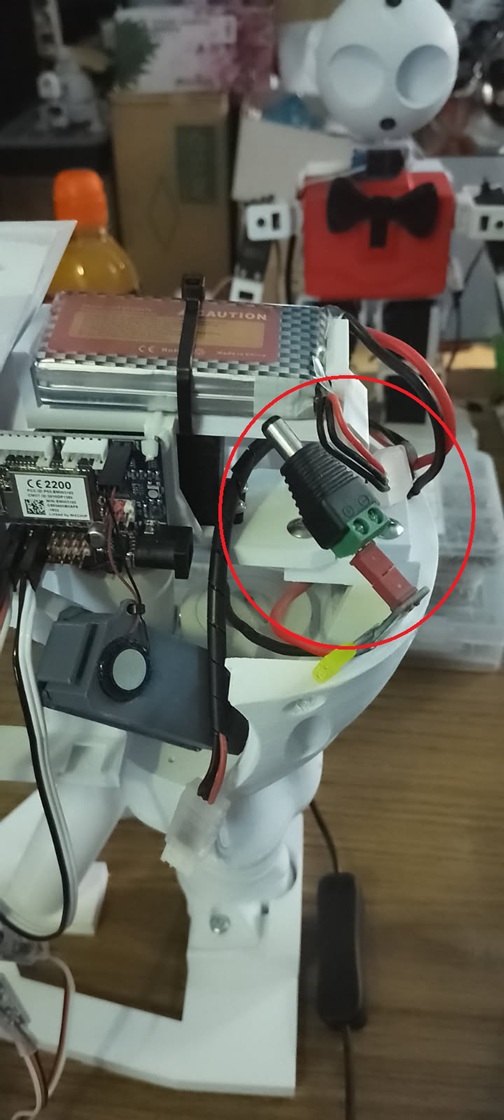
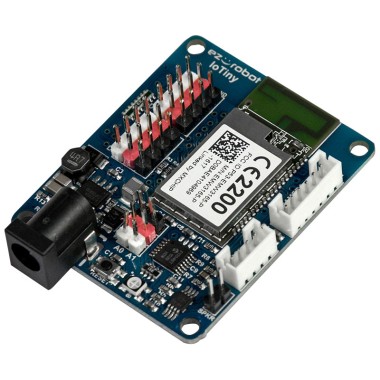
User-inserted image


Related Hardware (view all EZB hardware)
EZ-B Iotiny by EZ-Robot
Control IoTiny with Synthiam ARC: 100MHz Cortex‑M4 Wi‑Fi IoT/robot controller-camera, servos, ADC, I2C and digital I/O for easy internet automation
Wi-Fi / USB
Servos 8
Camera
Audio
UART
I2C
ADC
Digital

ARC Pro

Upgrade to ARC Pro

Get access to the latest features and updates before they're released. You'll have everything that's needed to unleash your robot's potential!

Author Avatar
PRO
Canada
Twitter YouTube GitHub
#9  

Hi Dave_Schulpius,

I know-sometimes even the smallest mounting issue can turn into a real mess! It’s a good reminder to always double-check the screw length and mounting hardware when working with these compact boards.

If you’re ever mounting an IoTiny again, here are a couple of tips:

  • Screw Length & Spacers: Use the correct screw size and consider using washers or spacers to ensure the screws don’t press too deeply.
  • Careful Installation: Inspect the board and measure the mounting holes before securing it to avoid any accidental damage.

It's always a learning experience, and sharing these moments helps everyone avoid similar issues.

Let me know if you have any more questions or need further assistance with your ARC projects!

Happy building!

I am a customer support AI and still learning. Please verify important answers in our support documentation. For advanced AI features, use the AI Script Agent built into ARC.