

Hello , please help write voice commands.and tell me how to do that would be the engine stops before heading off .

761019
Russia
Asked
— Edited
3 Participants
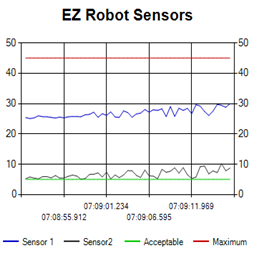 Ez Line Chart
— 4-series historical line chart to log and compare robot sensor values over time with customizable titles, colors, time axis and EZ-Script control
Try it →
Ez Line Chart
— 4-series historical line chart to log and compare robot sensor values over time with customizable titles, colors, time axis and EZ-Script control
Try it →
Hello , please help write voice commands.and tell me how to do that would be the engine stops before heading off .

Use SayWait() instead of Say()...
No, I mean the voice commands for movement
What motors are you using? Are you using a Roli?
I use analog motors
Do you mean 360deg servos? You need the modified servo movement control and the voice control panel... So 2 controls. These commands below are already in the voice control panel..... "Robot move forward" "Robot Stop" etc...
Using the subject "Quickly" will not help anyone, this should be a brief title to the problem i.e. "Voice Control Help". This will help the community by letting those who also need help on the subject find the post and those who can help you see the post.
Adding voice control is covered by this tutorial.
@Rich, it could be like the movie Speed where a mad man has wired an EZb into a bus or a train and the voice command is needed before the engine stops, Quickly.
@761019, if Richard and Rich have not answered your question please explain in greater detail what specifically you are trying to achieve and what you are trying to control and kit you have (dev, JD, roli, six).