
MovieMaker
USA
Asked
— Edited
 Resolved by CardboardHacker!
Question About The Ezb4
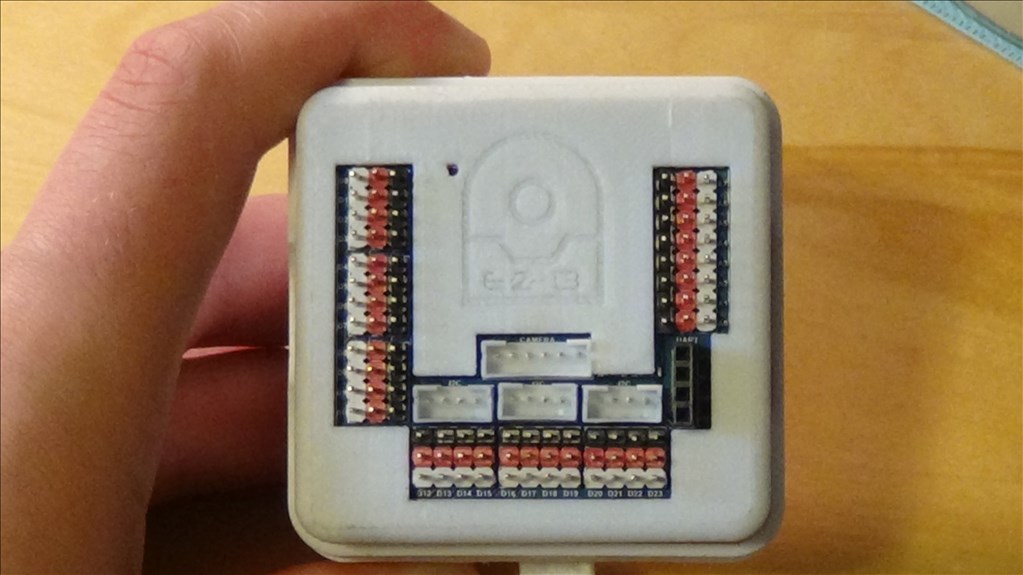
It has been said that the EZB4's middle bus will have whatever VCC that you supply it. But, will the little 5v two pin connector still be there?
Thanks,

It does not appear to be there.
Thank You for the Reply. I just need to power my sabertooth with an additional +5v, I think.
If you put a 5v regulator from either your ez-b or your battery it could work.
Why do you need to power your sabertooth with 5V? It's input voltage is whatever your motor needs are .... from about 6 - 24 volts.... It gets it's power from the battery you plug into it... The sabertooth can't run anything off of 5V...You only need 2 wires from the ezb.... Signal wire to S1 of the sabertooth and the ground wire... It does however, have a 5V bec to power other devices like a radio receiver.... You really should download the manual and have a read.... before possibly wiring it wrong and ruining it....
Richard, now that you point that out...
MOVIE MAKER! Don't wire the 5 volts from the sabertooth to your ez-b port!
Like Richard said, all you need the the signal cable to s1 on the saber and the ground.
Nice catch Richard.
Thank You Both so much.