


Make Tutorials For Ez-Credit
Hello!
You may have seen the new tutorial section, and it looks like we already have a bunch of new tutorials. What we need is more tutorials, so I have created a list of tutorials below for anyone to take on. Just respond to this post with the tutorial you would like to create and get started. If you have any suggestions for other tutorials I can add them to the list as well. Upon completing the tutorial, you will be rewarded with the ez-credit value listed with each tutorial!
Some of these tutorials will be very simple, but keep in mind, it will be helpful for lots of new users.
EDIT: When you are done making the tutorials please make a post on this thread letting me know you are done. That way it will be a bit easier on me to keep things organized. Thanks!
IMPORTANT Credit must be given to any information obtained from 3rd party sources
Tutorials:
Controlling a Neo-Pixel ring with the EZ-B v4 and an Arduino - $20 bhouston Completed
How to connect and use multiple EZ-B v4s - $25 thetechguru
Speech Recognition - $10 Steve G Completed
Setting servo speed, and initialization scripts (Using the connection established command) - $10 Steve G Completed
Serial (Explanation of what it is, EZ-Script functions, peripherals that would use it, etc...) - $15
UART (Explanation of what it is, EZ-Script functions, peripherals that would use it, etc...) - $20 Richard R
i2c (Explanation of what it is, EZ-Script functions, peripherals that would use it, etc...) - $15
ADC (Explanation of what it is, EZ-Script functions, peripherals that would use it, etc...) - $15 Steve G Completed
Looping (Using repeatuntil, repeatwhile, goto, etc...) - $10 Richard R
Files (read, write, etc...) - $15 JustinRatliff Completed
Arrrays (Explanation, functions) - $15 Ravdeep Steve G Completed
Pandorabot - $20 Steve G Completed
Using a LIDAR with the EZ-B v4 - $15
Amps and Volts (Current draw, voltages for different peripherals, voltage regulators, voltage on pins, etc...) - $15 Steve G Completed
Battery choices (Different types of batteries and what to use them for) - $20 Ravdeep Completed
Power supplies (I believe that @Technopro has a thread on this. Maybe he wants to create a tutorial for power supplies using that thread) - $20 Technopro Completed
Sabertooth/Kangaroo - $25
Tip120 & Tip122 Transistor Switching Circuit Steve G Completed

@Dave.
Agreed. It's not vary fair in the rest of us who have spent hours or indeed days researching, testing, writing, sharing their "own" knowledge, and proofreading our original content, when someone comes along, spends 10 minutes copy and pasting and says "here's my work" when almost all the entire document is clearly C & P, and then ask to do more and expects to get the financial incentives that are on offer. The not being critical bit was a little bit of sarcasm from me as well have spent 4 days writing my current tutorial and was gobsmacked when I noticed this and the other one.
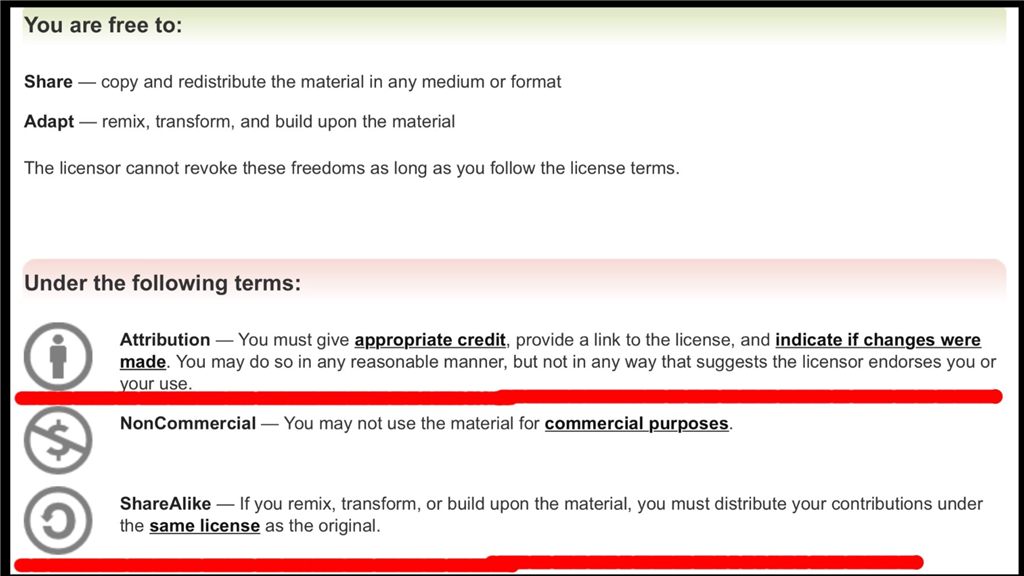
Besides @Ravdeep, you say you have done nothing wrong, but if your weren't so quick to copy the text from the arrays document, you would have seen the licence link explaining the terms and conditions of using that particular content. And to include @Richard R in your last post was also unfair, as what he actually said was absolutely correct in my book. Keep the content relevent to the EZ-Robot platform, not something else.
Maybe you should read the terms and conditions for using the EZ-Robot website, and maybe my tutorial too. Anyway, it's not for me or anyone else to tell you to take it down, that's down to the staff who at least know about it now.nif they wanted cut and paste articles, I'm sure they would have done it themselves and saved on paying out store credit. If you want to use other people's work, at least read it and then put it in your own words. You might even learn something too.
synthiam.com/Terms-of-Use.aspx
@Ravdeep After looking through the tutorials and this thread it is obvious that you did cut and paste from other peoples work for the sole purpose of getting easy credit. (Not Cool)
We need tutorials specific for the EZ Robot Community that apply to Easy Robot Products so that new users can understand how to build our Robots and have a place for reference.
What you did is unacceptable. The guys that are doing real tutorials have every right to be upset with you.
I didn't mean what u all r saying.................. I just tried to bring some info to this place. I don't die for the 10-20 dollars...Have some problem with mee. Go get me kicked outta here. I don't care,/.,
Well that went south fast.
Showed his true colours in the end.
Anyway, moving on. @Rich, your TIP120 122 tutorial is now up. No real changes made to it, just added to the description. If you want anything added or changed, let me know . Again, no credit for this please James.
TIP120 and TIP122 Transistor Switching Circuit Tutorial.
10/7/15: Joined EZ Robot 10/11/15: Quit EZ Robot 10/12/15: No loss
Don’t let the screen door hit you on the way out. If it was an honest mistake than I hoped you learned something.
SteveG is whipping the tutorials out like none other! I've got to get on mine. Any quick tips Steve or handy pointers for making a good tutorial?
I believe SteveG put out a tutorial about how to do a tutorial
Tutorials... Tutorial