

Vjk382
USA
Asked
 Resolved by PJ_Dtechy!
Mac Support
Before I purchase ARC Pro, I need to know if it will run on my MacBook, which uses the M3 Pro chip. I currently run ARC on my Intel-based MacBook. Will ARC be compatible with the M3 Pro MacBook?
Related Hardware (view all EZB hardware)

EZ-B V4
by EZ-Robot
EZ-B v4/2 robot controller: dual Cortex ARM, Wi-Fi, audio/video, 24 servo/digital ports, I2C/UART, camera and Synthiam ARC control for custom robots
Wi-Fi / USB
Servos
24
Camera
Audio
UART
3
I2C
ADC
8
Digital
24
Related Robot Skills (view all robot skills)

Kinect Body Control
by Microsoft
Control robot servos with Microsoft Xbox 360 Kinect body tracking; map joints to upper/lower body servos with smoothing and pause control.
Requires ARC
v12
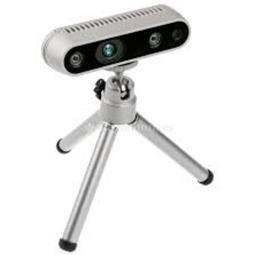
Intel Realsense D435i
by Intel
Connect Intel RealSense depth cameras to ARC NMS for depth-based distance detection, point-cloud mapping, video streaming, and navigation telemetry.
Requires ARC
v20

ARC is primarily designed for Windows operating systems. However, you can run ARC on a Mac using virtualization software like Parallels Desktop or Boot Camp to create a Windows environment.
For your M3 Pro MacBook, you can use Parallels Desktop to run Windows on your Mac. This setup should allow you to run ARC as you did on your Intel-based MacBook. Keep in mind that performance may vary depending on the virtualization software and the resources allocated to the Windows environment.
If you have any specific questions about setting up ARC on your MacBook or need further assistance, feel free to ask!
ARC/Synthim is mainly a Windows-only product. However, if you're using a Mac, you can still run it effectively using virtualization tools like Parallels or BootCamp.
Before diving in, I'd recommend planning out your robot project thoroughly and researching the best parts to meet your goals. For example:
ESP32: This is a great little wireless board that's awesome for quick prototyping and remote control. It can easily be turned into an EZB-like setup. Arduino Boards (Nano, Uno, Mega): These are excellent for direct PC connections. If you choose this route, pairing them with an onboard mini PC can enhance your setup. ARC is well-optimized and can run on systems with just 2-4 GB of RAM, so it should work well even on modest hardware.If you opt for this route, pairing them with an onboard mini PC can significantly enhance their functionality. Definitely check out the Getting Started guide for ARC/Synthim. It provides a lot of useful information and will point you in the right direction.
Hope this helps, and good luck with your robotics project!
Thanks for the feedback and suggestions. I have used ARC previously with my Robotis equipment but have not done anything since 2020 and wanted to get back into things. I thought I had seen a note that ARC struggled with the Apple chips in Parallels, hence my question. Thanks again!
@athena I just moved to M4 from Intel Mac. Using Parallels Version 26.2 and Windows 11 ARM. ARC seems to install and run ok but I have not tested all the hardware plugins. Is there a list of working or not working plugins. A lot of the hardware devices need windows drivers so was wondering what had been tested. Any issues doing development on laptop ARM and then moving project to X86 to run on Robot?
Any other users using ARC with Parallels on Apple ARM ?
@nink i can also answer that. I don't think there will be any issues at all unless you're using something requiring a specific hardware driver such as the microsoft kinect or intel realsense. Anything else such as joysticks and such should work fine. I doubt a wiimote will work though.
Thanks @DJ I guess I will do it old school and just test stuff and see what works or doesn't and report back. I will probably just use my desktop but its nice to be able to sit on the couch with the wife while I play instead of hiding in the study.
Short answer
What to expect for your setup (EZ-B v4 + Kinect Body Control + Intel Realsense D435i)
EZ-B v4
Kinect Body Control (Xbox 360 Kinect + SDK 1.8)
Intel RealSense D435i
Why drivers are the main limit
Practical testing steps (if you want to try Parallels/Windows 11 ARM)
Alternatives and recommendations
Useful links
Would you like a short step-by-step test plan I can paste here to try in Parallels? Also, which Kinect model (Xbox 360 or Xbox One) and how do you plan to connect the EZ-B (WiFi or USB)? I can tailor the testing steps based on that.