

Asked
 Resolved by Jeremie!
L698 Motor Control Alternatives?
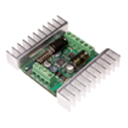
I've used the L698 motor controller with IoTiny for a few projects, but its form factor is a bit big and has a somewhat awkward design.
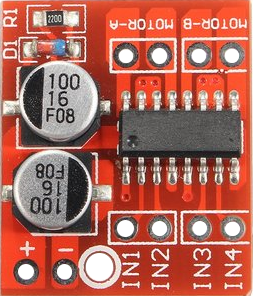
As I continue to be a beginner, are there alternatives to the hbridge that are compatible with the IoTiny? Perhaps something like an MX1508 https://www.techmonkeybusiness.com/using-the-mx1508-brushed-dc-motor-driver-with-an-arduino.html
Or some other brushed dc controller with a smaller form factor?
Thanks.
Related Hardware (view all EZB hardware)

EZ-B Iotiny
by EZ-Robot
Control IoTiny with Synthiam ARC: 100MHz Cortex‑M4 Wi‑Fi IoT/robot controller-camera, servos, ADC, I2C and digital I/O for easy internet automation
Wi-Fi / USB
Servos
8
Camera
Audio
UART
✕
I2C
ADC
✕
Digital
✕

@ggr_scott the diagram that @ptp shared was great, it should get you most of the way there. The only other thing I would add is that you can treat The PWMA and PWMB as enable lines and just tie them to 3.3V for testing and see if that works. As for the inputs just follow what @DJ mentioned.
Thanks @jeremie! As my proficiency in making product compatibility choices is nil, I'm going to work with known products that work. The HBridge is working fine for us. My boys and I created this platform for learning the ARC. We have a separate one using 360 degree servos and a camera that can follow our faces, colors and objects.
.