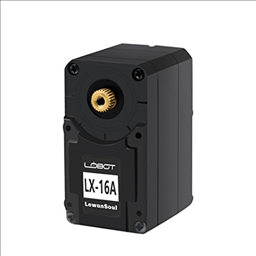


Lewansoul Servo icon Lewansoul Servo — Control LewanSoul LX-16A servos via ARC (EZ-B v4/IoTiny): assign virtual ports, read positions, set speeds, and enable continuous rotation. Try it →
Pakistan
Asked — Edited

I2c In C# Not Reading Values

I have mpu-6050 6dof imu. I want to read the value of who_am_i register with register number 0x75. The register returns address 0x68. But I am getting 255. The device address is 0x68 as well. Code is as follows:

byte[] ret = ezB_Connect1.EZB.I2C.Read(I2C.ReadArgsEnum.Auto,0x75,1);

here is the register description for the device:RM-MPU-6000A.pdf

I checked my imu with arduino and it works fine. So, any help here?


ARC Pro

Upgrade to ARC Pro

Experience early access to the latest features and updates. You'll have everything that is needed to unleash your robot's potential.

#9  

Hi DJ sures It's OK, that works fine when i call the init function before the get data. Thank you have a good week end. Bye Christophe:):)

#10  

Hi DJ Sures My projet works fine but I have just a remark to say. I think that you have reversed :

  • the value GyroX with the AccelX
  • the value GyroY with the AccelY Thank you again.
    Bye Christophe
Author Avatar
PRO
Synthiam
LinkedIn Thingiverse Twitter YouTube GitHub
#11  

The data collected is correct, they are not reversed.


    public Classes.MPU6050Cls GetData() {

      _ezb.I2C.Write(0x68, new byte[] { 0x3B });

      byte [] everything = _ezb.I2C.Read(0x68, 14).Reverse().ToArray();

      Classes.MPU6050Cls cls = new Classes.MPU6050Cls();

      cls.AccelX = BitConverter.ToInt16(everything, 12);
      cls.AccelY = BitConverter.ToInt16(everything, 10);
      cls.AccelZ = BitConverter.ToInt16(everything, 8);
      cls.TmpC = (BitConverter.ToUInt16(everything, 6) / 340) + 35;
      cls.GyroX = BitConverter.ToInt16(everything, 4);
      cls.GyroY = BitConverter.ToInt16(everything, 2);
      cls.GyroZ = BitConverter.ToInt16(everything, 0);

      return cls;
    }