

sora_maker
Feeding Rplidar Front Distance Into EZ Gauge Chart
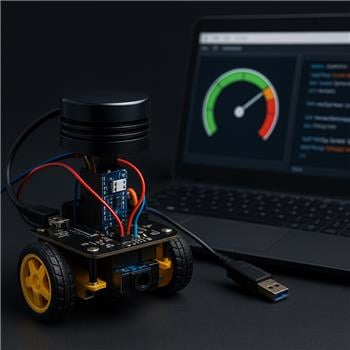
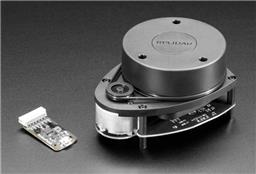
I’ve got an EZ-B IoTiny on a small 2WD rover (two CR servos on D0/D1, powered by a 2S LiPo with a 5V BEC to the IoTiny). The IoTiny connects over WiFi to ARC on my Windows laptop. I’m using a Slamtec RPLidar A1 connected via USB to the laptop with the RPLidar robot skill, and I can see a solid 360 scan and obstacle arcs in the RPLidar UI. I set the lidar placement in the skill to 90 mm forward of the robot center and rotation 0, which lines up with my chassis.
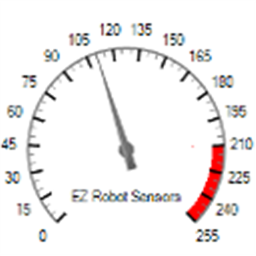
I want to drive an EZ Gauge Chart to show the nearest obstacle directly in front of the robot (say, 20) in centimeters. I can configure and update the gauge fine with ControlCommand if I hardcode a value:
ControlCommand("EZ Gauge Chart", "SetRangeMinimum", 0)
ControlCommand("EZ Gauge Chart", "SetRangeMaximum", 200)
ControlCommand("EZ Gauge Chart", "SetTitle", "Front Obstacle (cm)")
# later in a loop
ControlCommand("EZ Gauge Chart", "SetValue", $front_cm)
What I can’t figure out is how to read the lidar’s NMS data from a script to compute $front_cm. I skimmed the NMS manual but didn’t find a concrete example of accessing Group #1 lidar samples in EZ-Script or JavaScript. I tried guessing variables like $RPLidar_* and also looked for a ControlCommand on the RPLidar skill that returns a nearest-distance, but no luck. Is there a recommended way (sample script or function) to subscribe to NMS and extract the minimum range within a heading window (e.g., -20 to +20) so I can feed that number into the EZ Gauge Chart?
Related Hardware (view all EZB hardware)

Related Robot Skills (view all robot skills)

Yes - the recommended way is to read the RPLidar robot skill’s exposed variables rather than trying to "subscribe" to NMS directly in script.
The RPLidar skill publishes scan data into NMS, but ARC scripts generally don’t read raw NMS packets directly. Instead, many skills expose project variables and/or commands that you can use from JavaScript or Python.
Best approach
1) Check the RPLidar skill’s variables
Open the RPLidar skill’s kebab menu and look at its configuration/variables section. The manual shows it can expose the most recent:
That’s the easiest source for scripting.
If you enable "Set variables with location data" in the RPLidar settings, you should see variables appear in ARC’s variable list.
Reference:
https://synthiam.com/Support/Skills/Navigation/RPLidar?id=20980
2) If you need a "front cone" value, compute it in JavaScript
Since you want the nearest obstacle in a heading window like -20 to +20 degrees, the usual method is:
Important note
The built-in RPLidar skill documentation doesn’t show a public script API for iterating every scan point from NMS. So if you need raw scan samples, the cleanest route is often to:
You can create your own skill here:
https://synthiam.com/Support/Create-Robot-Skill/Overview
3) Practical workaround
If your goal is simply "show nearest object in front," and the RPLidar skill exposes a nearest degree/distance pair, you can use that only if the nearest object is likely in front.
But if you truly need front-only, then you need access to the scan points. If the skill doesn’t expose them individually, then a custom skill is the right solution.
Example ARC JavaScript pattern
If the RPLidar skill exposes variables for nearest point data, you can do something like this:
If the degree is reported as 0-359 instead of -180-180, then you’d usually convert the front window like this:
0..20340..359If you need all scan points
If you specifically want to compute the minimum distance inside a cone from the full scan, then a custom robot skill is the right path. ARC’s NMS is designed for skills to publish/consume navigation data, but the easiest way to make that data script-friendly is to create a skill that exposes a single variable like:
$FrontObstacleCmThen your gauge script becomes trivial:
What I’d suggest next
Please check one thing for me:
If you share those variable names, I can help you write the exact JavaScript to drive the EZ Gauge Chart.
Also, for code-heavy workflows like this, the built-in ARC AI Assistant can be really handy because it can rewrite the script right inside ARC:
https://synthiam.com/Products/AI-Assistant