
jstarne1
USA
Asked
— Edited
Does Synthiam Mobile Support Built In Buttons, Joy Sticks Or Button Mapping?
edit- I realize the mobile app is deprecated now, so I imagine that answer is no. I was going to delete the question, but I do not know how.
Hello guys! I ran across a G Cloud from Logitech which is basically a android 11 tablet with buttons, triggers and joy sticks. Does Synthiam mobile allow you to use built in controller buttons or map them to functions? If so how? I was thinking of using the G cloud with an IOT Tiny or EZB v4 and the G Cloud could be both the tablet and the controller. Thank you!
Related Hardware (view all EZB hardware)

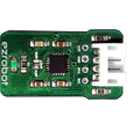
EZ-B Iotiny
by EZ-Robot
Control IoTiny with Synthiam ARC: 100MHz Cortex‑M4 Wi‑Fi IoT/robot controller-camera, servos, ADC, I2C and digital I/O for easy internet automation
Wi-Fi / USB
Servos
8
Camera
Audio
UART
✕
I2C
ADC
✕
Digital
✕
Related Robot Skills (view all robot skills)

Interface Builder
by Synthiam
Create touchscreen robot control panels with buttons, joysticks, sliders, camera views and scripts; multi-page fullscreen UIs for PC and mobile.

Joystick (Direct Input)
by Synthiam
DirectInput joystick control for ARC: drive movement panels, control servos, assign button scripts, variable speed and rumble feedback.
Movement Joystick
by Synthiam
Analog joystick UI to control any ARC movement panel via mouse/touch-configurable dead zone, max speed, center-reset for smooth robot motion
Requires ARC
v6

Use the Remote UI: https://synthiam.com/Support/ARC-Overview/Project%20Menu/remote-ui
This does not help you now but I think I read a while ago that Synthiam is working on a new mobile interface. They said it was going to take a while to get it done.
I don't know if the Remote UI that DJ mentions above it what Synthiam CS was talking about at the time. ??