


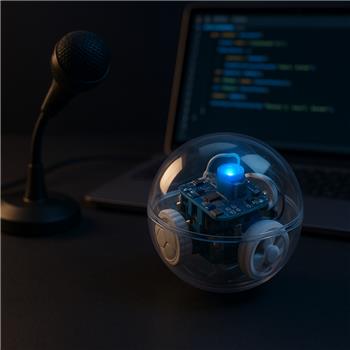
I’ve got a Sphero (SPRK+) paired over Bluetooth and the Sphero Movement Panel works great for manual driving. I’m now layering in the DialogFlow robot skill so I can say things like "forward for two seconds" or "spin left for one second" and have ARC handle timed moves.
Setup details:
- DialogFlow skill is configured with my Google service account JSON and returns intents correctly in its console.
- I’m using ARC’s Speech Recognition to capture voice to $Speech, then sending it to DialogFlow with:
ControlCommand("DialogFlow", "Send", $Speech)
- In the DialogFlow skill, I’m using the "Script to Execute On Response" to read the global vars it publishes (intent name and parameters) and call Movement Panel commands. The plan is basically: Stop(), set speed, Forward()/Left(), Sleep(durationMs), Stop().
What I’m running into:
- Occasionally the On Response script fires twice for a single utterance, so Sphero repeats the same move back-to-back.
- If I use DialogFlow’s @sys.duration, the parameter often comes through as a string like "2s" or "2.0 sec", which makes Sleep() math messy. Switching to @sys.number helps, but then I lose units and must hardcode seconds.
- Network round-trip adds ~500-1500 ms before the command executes; during that delay Sphero may continue a prior motion. Prepending Stop() helps but causes a visible jerk.
Is there a recommended ARC pattern or sample project for consuming DialogFlow intents in the On Response script to drive the Sphero Movement Panel with precise, time-limited moves, including debouncing duplicate triggers and reliably parsing numeric parameters?



Yes - the most reliable pattern in ARC is to treat DialogFlow as an intent parser only, then have a small script layer do the movement in a controlled way.
Recommended approach
1) Use a numeric parameter, not
@sys.durationFor timed motion, I recommend:
@sys.numberfor the amount"seconds"vs"milliseconds"That avoids DialogFlow returning mixed strings like
"2s"or"2.0 sec".If you only care about seconds, just use
@sys.numberand interpret it as seconds in your ARC script.2) Debounce duplicate DialogFlow responses
If the On Response script is firing twice, add a simple guard variable in ARC.
Example pattern:
That will ignore repeats within 400 ms.
You can adjust the window if needed.
3) Move first, stop only once, and avoid extra stop calls
For Sphero, a clean sequence is:
If you’re seeing a jerk from a pre-stop, that’s usually because the robot is already moving and then gets interrupted. In most cases, it’s better to only stop once at the end unless you are intentionally canceling an in-progress command.
Example ARC script for DialogFlow response
This assumes:
$APIIntentcontains the intent name$APICompleteis true when fulfillment is complete$APIParameters[0]= direction$APIParameters[1]= number of secondsFor spin left / spin right
If you want
"spin left for one second", I’d suggest making a separate intent like:spin.direction.timeThen map:
"left"->Movement.left()"right"->Movement.right()If your Sphero movement skill has a specific "spin" behavior exposed through its movement panel, use that command instead. Otherwise, the left/right turn logic above is usually the simplest ARC pattern.
About the latency
That 500-1500 ms round-trip is normal when you wait on the cloud intent result. A few ways to reduce the impact:
That last option is often the best user experience:
Best practice for parsing parameters
If you want robust numeric parsing, do this:
If you ever do want to support strings like
"2 sec"or"2.5 seconds", you can strip text first:But again,
@sys.numberis cleaner.ARC config tip
You can place this script in the DialogFlow skill’s config menu:
That keeps the parsing and movement logic in one place.
Helpful references
My recommendation for your project
For reliability, I’d use this structure:
If you want, I can help you write a clean DialogFlow intent handler for:
forward for two secondsreverse for three secondsspin left for one secondstopwith a single reusable ARC JavaScript script.