

SeoulTinkr
Auto Position Jitter With XV11 LIDAR
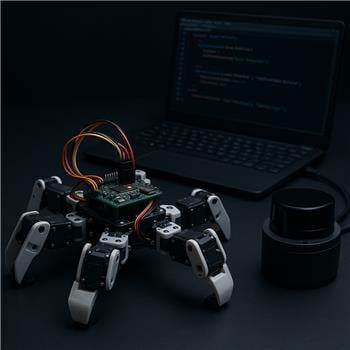
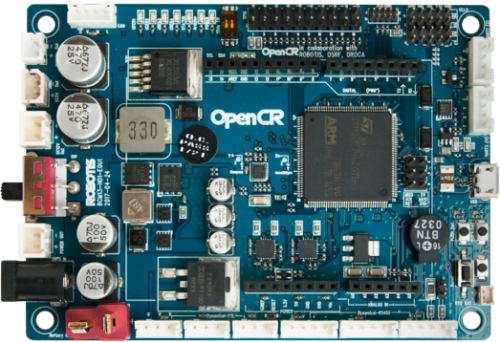
I’ve got an OpenCR 1.0 (USB) acting as my EZB in ARC controlling a small hexapod with Dynamixel servos. ARC connection is on COM5 at 921,600 baud (firmware flashed via Arduino IDE), and the servos move smoothly using the basic servo controls. My walking sequence is built with the Auto Position (Movement Panel) skill ("walk_fwd" for forward gait, plus a "sidestep_left" action). When the Auto Position panel runs by itself, the gait is smooth.
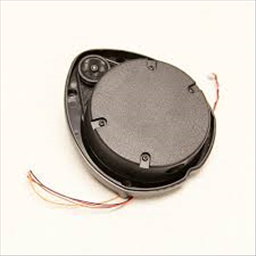
I also added the XV11 LIDAR skill with a GetSurreal v1.2 controller on COM9 (Teensy driver installed). $LIDARDistance updates look good in a Variable Watcher. I wrote an EZ-Script loop to watch a 60-degree forward cone (330-359 and 0-30) and, if anything is <300 mm, stop the gait and play "sidestep_left"; otherwise keep "walk_fwd" going. The logic works, but with the LIDAR script running the gait hesitates every ~100 ms even in open space, and sometimes the Stop doesn’t interrupt immediately (it finishes another frame before reacting). Sleep() from 25-150 ms changes the severity but not the root issue. Without the XV11 skill started, the gait is perfectly smooth.
Here’s the simplified control part:
if ($minDist < 300)
  ControlCommand("Auto Position", "Stop")
  ControlCommand("Auto Position", "AutoPosition Action", "sidestep_left")
else
  ControlCommand("Auto Position", "AutoPosition Action", "walk_fwd")
endif
I also tried: using a separate Script Manager to run the monitor loop, reducing frames per action, lowering servo speeds, and moving COM ports, but the micro-stutter persists. What’s the recommended ARC pattern to keep an Auto Position (Movement Panel) gait on OpenCR running smoothly while a XV11 LIDAR obstacle script can preempt it instantly-should I be queuing actions differently, using Movement commands instead of repeatedly issuing actions, or is there a better way to send a high-priority Stop?
Related Hardware (view all EZB hardware)
Related Robot Skills (view all robot skills)


Yes - the stutter is very likely coming from the monitor script repeatedly reissuing movement/action commands, not from OpenCR or the XV11 itself.
What’s happening
In ARC, Auto Position (Movement Panel) is happiest when it is told to start an action once, then allowed to run.
If your script keeps doing this every loop:
AutoPosition Action walk_fwdStopAutoPosition Action sidestep_leftthen ARC is constantly interrupting/restarting the gait thread, which can cause the hesitation you’re seeing.
Also,
Stopin Auto Position is not an instant "preempt everything right now" hard kill in the middle of a transition. It often stops on the next safe boundary, which is why you’re seeing it finish another frame.Recommended ARC pattern
1) Start the gait once
Don’t keep sending
walk_fwdin a loop.Use a state variable so you only command the action when the state changes:
walk_fwdoncesidestep_leftonce2) Use a "state change" monitor, not a spam loop
Your LIDAR loop should only issue commands when the condition changes.
Example idea:
$obstacle = true/false$currentMode = "walk"or"sidestep"If the mode is already
"walk", don’t send the walk command again.3) Poll less often, but more intelligently
If you’re checking the XV11 array every 100 ms and issuing commands every pass, that will absolutely interfere with smooth gait timing.
Try:
Example:
< 300> 350That prevents rapid toggling.
Better scripting pattern
Since you’re using JavaScript or Python would be better than EZ-Script for this kind of logic, but if you keep the monitor in script form, the key is only command on transitions.
Example logic concept
Important note about immediate stop
If you need the fastest possible stop, you have two options:
Option A: Use Auto Position’s panic/stop behavior
Best for normal use, but still not guaranteed to interrupt mid-frame instantly.
Option B: Make the gait itself sensor-aware
Instead of another script trying to interrupt it, put the obstacle check into:
That way the gait can self-terminate between frames more cleanly.
Suggested architecture
Best practice for ARC:
Example of the kind of state logic you want
If you want, I can help convert this into JavaScript for ARC, which would be cleaner than EZ-Script.
Pseudo-logic:
The important part is the
if (mode != ...)guard so the command isn’t spammed every cycle.One more thing to check
Because the XV11 skill is updating arrays continuously, also confirm whether your monitor script is reading:
If you’re scanning many array values every 100 ms, try reducing the work:
That will reduce false triggers and motion interruptions.
My recommendation
For your setup, I’d do this:
walk_fwdevery loopIf you want, I can write you a complete ARC JavaScript monitor script for:
walk_fwdIf you’d like that, tell me the exact robot skill title of your Auto Position panel and whether you want the cone scan to use 330-359 + 0-30 exactly or a different range.