

Asked
— Edited
 Resolved by Jeremie!
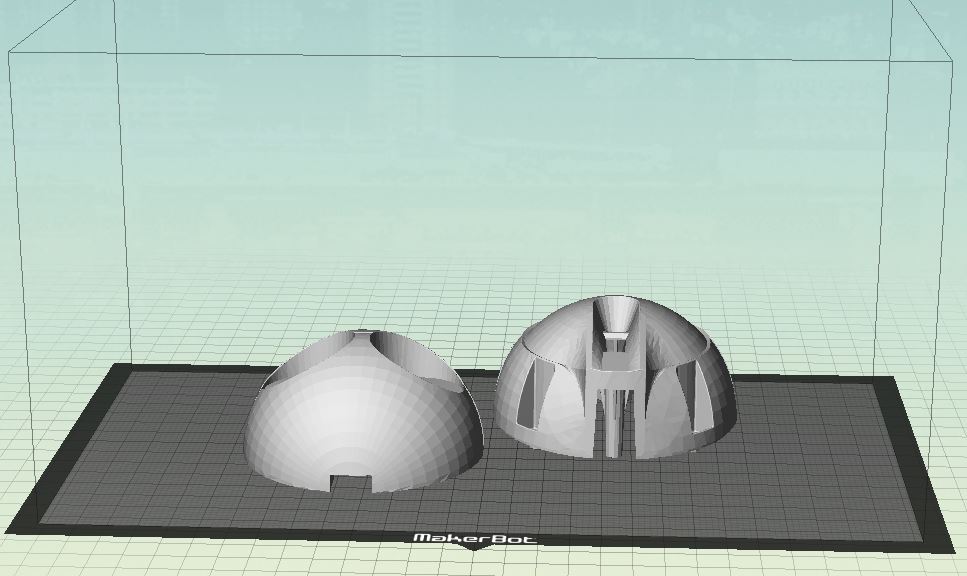
3D Print Jd Head
hi
has anyone printed a jd head?my question is ,how do you print the head on the printbed?
thank you
Related Hardware (view all EZB hardware)

JD Humanoid
by EZ-Robot
JD humanoid robot kit - WiFi-enabled, 16 DOF with metal-gear servos; easy, fun, educational, available from the EZ-Robot online store.
Wi-Fi / USB
Servos
24
Camera
Audio
UART
3
I2C
ADC
8
Digital
24
Related Robot Skill (view all robot skills)
File Manager
by Synthiam
Displays files currently open for reading by scripts, shows only read-opened files, helps diagnose read/write locks and file access errors.

here a little update.shoulders and hip are reddy.for the shoulders i use ez robot HDD. arms MG995.
they say trouble never comes alone . i just renewed the heatbed and complete headblock. al go's wel for 1 day and then i hear this sound.i can see the gear is not loose. can this gear worn out?
Hi Nomad,
That gear in particular doesn't "wear out".
You see the inner diameter gets locked onto a motor shaft with a set screw, so it doesn't wear down. The set screw can become loose, so you may need to tighten it.
The outer diameter which grabs onto the filament can get full of filament and start slipping. They teeth are only rubbing on plastic so they won't wear down. You can clean these teeth with a toothbrush or equivalent brush.
hi jer
i did clean them out and indeed there is some flinters off filament in there. ok the gear is good.and i put in a new spring in and handle . its still do tok tok tok .i also notest i could not get the filament to retrack for excample to use another color
@Nomad6R if you are hearing a noise, like a knocking noise the print head hot end is to close to the table there is not enough space for the filament to exit if it does this for to long it will burnout the stepper motor, it weakens before it eventually dies. make sure your first layer is not to close to the build table, those stepper motors are around 25.00 u.s. on amazon. I keep a spare as I had one burn out when I wasn't watching. that ticking is a vibration and can loosen the feed gear, like yours did.
hi nallycat
i hear indeed knocking sound as in the video.at this moment the nozzle is on the print.not on the table. and am printing on a glas bed. learn something .thanks for the info.
@Normad6R When you start printing the first layer is when you can damage your stepper motor if the print nozzle is to close to the glass bed the heated filament has no room to leave the nozzle. the stepper cannot push the filament so it makes a clicking noise. the stress on just doing the first layer can damage the extruder stepper. when you setup the alignment and bed leveling use 2 thicknesses of paper to raise the nozzle a bit more. if the knocking is while the print head is several layers up, then you have a partially blocked nozzle. to test this before you print raise the print head extrude about 50 mm of filament, it should drop straight down if it coils the nozzel is partially blocked, so clean it.
hi nallycat
your right there's a problem with the new heatblock.filament goes not thru the block.