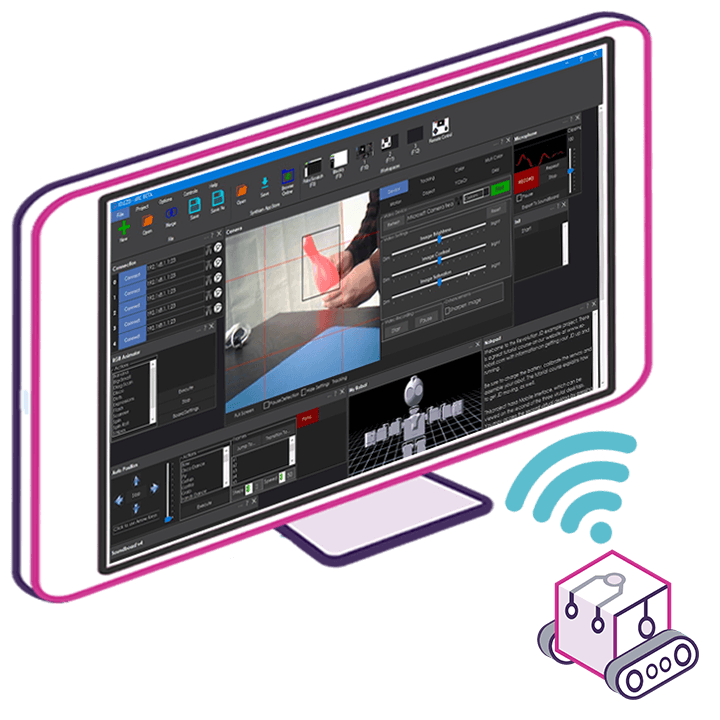
The Robot With a Thousand Eyes: When Perception Becomes a URL
Your robot doesn’t need to own its eyes anymore. With Synthiam ARCx, a simple link turns any RTSP feed, MJPEG stream, HLS playlist, or even a YouTube page into a "camera" the robot can see and act on. It’s borrowed vision—legal, local, and strangely profound.
Paste a stream into the Video Stream Source, and suddenly Face Tracking, OpenCV filters, snapshots, and recording treat that link like a USB camera. If perception is just pixels over time, then a URL is a pair of eyes with a copy-paste handle.
Perception as a Link
ARCx turns many kinds of video addresses into live cameras robots can use. The stream’s name is whatever you name the skill, so “Dock-Cam” and “Garden-East” become first-class eyes.
Borrowed Eyes, Real Actions
Autonomous AI in ARCx can “see” through these streams, then drive, speak, or trigger servos with safety bounds. New stream? It’s a new tool—no reboot, no drama.
Protocols Made Simple
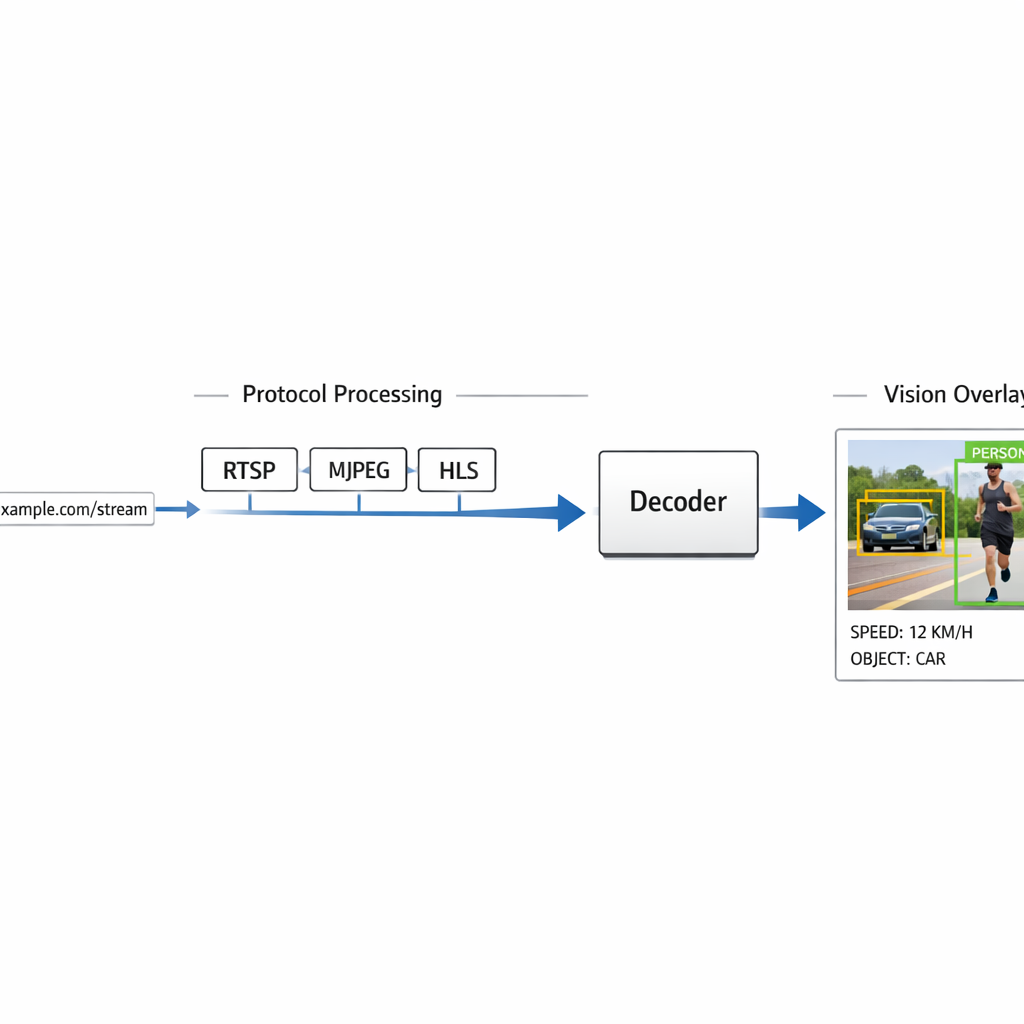
RTSP, MJPEG, HLS, snapshots—ARCx figures out how to read most links. FFmpeg does the heavy lifting where needed, while vision skills see uniform frames.
Perception, Packaged as a Link
We used to bolt cameras onto robots like little hats. Now, with Synthiam ARCx running on your robot’s own computer (Windows 10/11 or Ubuntu 24.04 LTS on x64 or ARM64, including Raspberry Pi), perception can be as easy as pasting a URL. Add the Video Stream Source skill, drop in an RTSP address from an IP cam, an MJPEG stream from an ESP32-CAM, an HLS link, or even a YouTube page, and ARCx treats it like a camera.
Every vision skill you add—Face Tracking, Color Tracking, Glyph Recognition, OpenCV Filter Flow, recording—sees those pixels the same way it would a USB webcam. Rename the skill window to label the feed. Add more than one instance for more eyes. Your robot can binge-watch the parking lot and the front porch at once. No popcorn required.

Borrowed Eyes, Real-World Fingers
Seeing is cute. Doing is the point. ARCx’s Autonomous AI skill can use the camera streams as part of its toolbox. It “looks” through the active camera, then calls the control commands of other robot skills to move, speak, or log data. Personality, mood, memory, and goals shape its choices, while safety limits keep behavior inside guardrails. It’s like giving your robot a cautious driver’s license.
Build a custom UI with camera panes, buttons, and joystick controls. Switch a stream on the fly without restarting. Keep a “Processed” view to overlay boxes and labels—or flip to the original video. Meanwhile the robot keeps running headless; closing your browser tab won’t stop it. That’s not a bug; that’s adulthood.

Nerd Corner: How a URL Becomes a Camera
Think of video as a stack of pictures that never stops. Protocols decide how those pictures travel. Here’s the quick map. RTSP usually carries H.264/H.265 from IP cameras. It’s efficient and steady. In ARCx, FFmpeg decodes it. MJPEG over HTTP sends each frame as a JPEG in one long response. It’s simple and low-latency, but uses more bandwidth. Snapshots are just a single image URL fetched over and over—great for low-power cams.
HLS and DASH break video into small files called segments. Your robot downloads them in order. It’s reliable and flexible, but adds delay. Web pages like YouTube can be resolved into their actual media links, then decoded. In Auto mode, the skill inspects the address and server replies to choose how to read the stream; non-HTTP links go straight to FFmpeg. The result is the same: ARCx hands uniform frames to vision skills.
Headless Confidence, Hot-Swap Vision
ARCx runs right on the robot—Windows 10/11 or Ubuntu 24.04 LTS on x64/ARM64, including Raspberry Pi—and doesn’t need a monitor or remote desktop. You program it from a web browser on your laptop, tablet, or phone. Close the tab, the robot keeps going. Open two more browsers, they all stay live. Add or remove robot skills without restarting, and each skill runs in isolation, so a flaky feed won’t take down your project.
Write behavior in Blockly, JavaScript, or Python with a VS Code-like editor, IntelliSense, a live console, and a big red panic button that stops scripts, movement, servos, and audio. Athena, the AI assistant baked into ARCx, reads your project and helps write scripts that call the skills you already added—camera included. It suggests changes; you approve them. Like pair-programming with a robot that never gets coffee jitters.

What ARCx Is Really Saying About Sensors
Sensors used to mean solder and screws. With Synthiam ARCx, a sensor can be a service. By turning a video address into a camera, ARCx lets you fuse far-away views with on-bot action. The ROS 2 Connector can even bridge ARCx vision into ROS 2 over a WebSocket, without installing ROS on the ARCx computer. Your robot stops being a lonely island and starts being a citizen of the network.
That’s the deeper bet: perception is modular. Add eyes when you need them, name them, script them, and let Autonomous AI use them with guardrails. Video as a URL is not a hack; it’s an API for seeing. Which leaves one question that isn’t technical at all: if your robot can borrow anyone’s window, which view do you want it to call home?

At a Glance
- Runs on-robot: Windows 10/11, Ubuntu 24.04 LTS (x64 & ARM64, incl. Raspberry Pi)
- Headless: program from any browser; robot keeps running when tabs close
- Languages: Blockly, JavaScript, Python with IntelliSense and live console
- AI helpers: Athena for scripting; Autonomous AI for perception-to-action with safety limits
- Vision: OpenCV-based tracking, object training, snapshots, H.264 recording
- Video-as-camera: Use Video Stream Source for RTSP, MJPEG, HLS, files, and more
- Hot-swap skills; isolation stops one bug from sinking the project
- Learn more: Synthiam ARCx
Key Thought
When a camera becomes a link, a robot’s world stops at the firewall, not at the chassis.
Big Idea: Try Borrowed Vision
- Install ARCx on your robot and open it from your browser.
- Add the Video Stream Source skill and paste an IP cam RTSP link.
- Add Face Tracking or an OpenCV filter; watch detections overlay live.
- Optional: enable Autonomous AI and set a goal like “announce when a face appears.”
Warning: your robot may develop strong opinions about the driveway.