Sound Movement icon Sound Movement Stereo mic sound localization triggers left/right scripts to control robot movement, enabling directional responses (turn/move) to audio. Try it →

ARC-Lite Beta Release (2026.03.30.00)

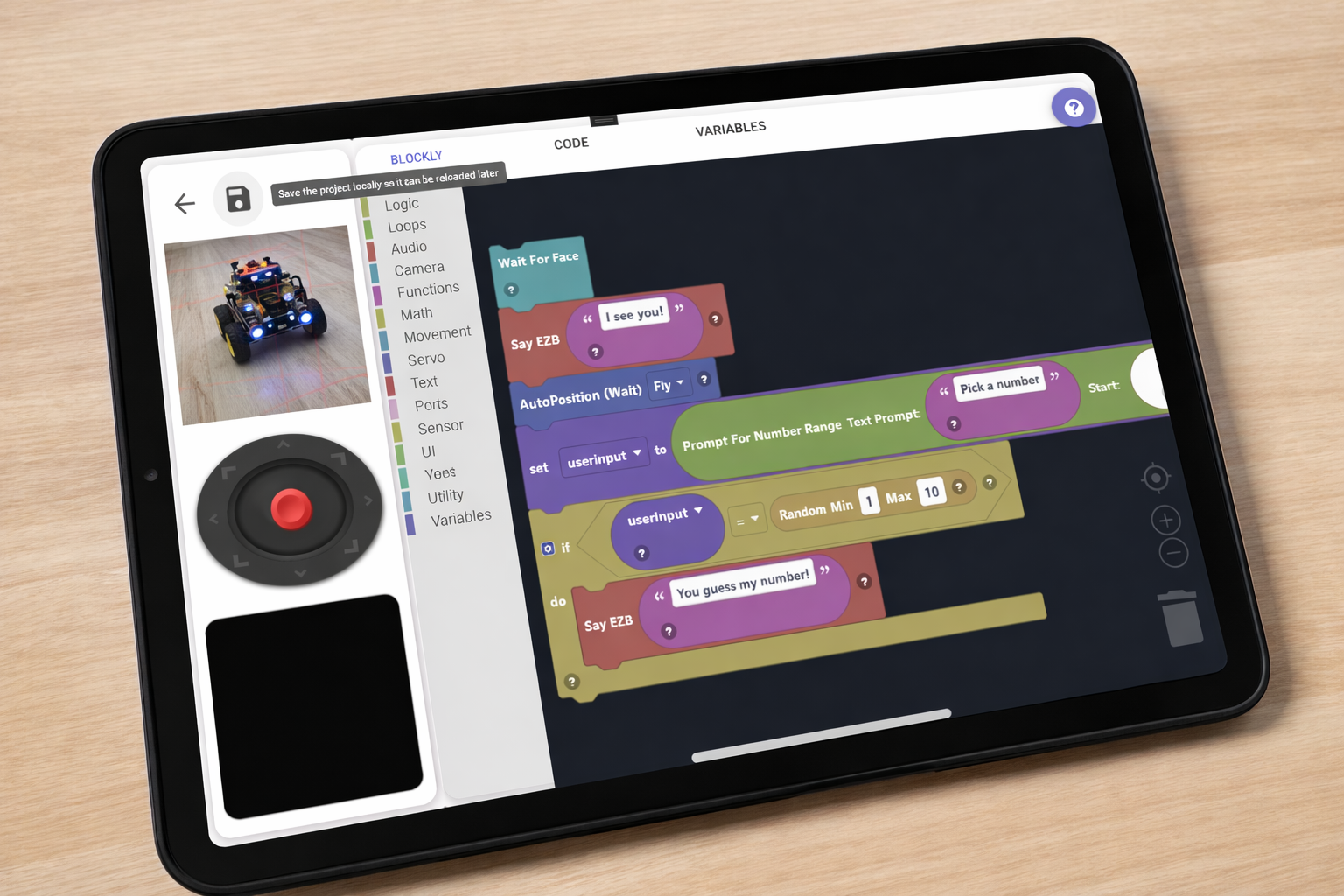
ARC-Lite app screenshot
Free App — iOS · Android · Windows · macOS

ARC-Lite Release

ARC-Lite is Synthiam's free mobile and desktop robotics app for education — designed for all ages, from young children to adults. Load guided lessons, write Blockly, JavaScript, or Python programs, and control real robots over WiFi. No experience needed.

🧩 Blockly, JavaScript & Python
🎓 Guided Educational Activities
🕹️ Live WiFi Robot Control
💛 Free — Synthiam's Gift to Education

Change Release Notes

This beta release of ARC-Lite is currently available for Windows only while we await approval from the Apple App Store and Google Play. Mobile and macOS versions will be released shortly after store approvals are completed.


What is ARC-Lite?
User-inserted image

ARC-Lite is a streamlined, education-focused version of Synthiam’s ARC (Autonomous Robot Control) platform. It makes robot programming simple, visual, and accessible for beginners, students, and educators-while still offering powerful features under the hood.

Built on the same foundation as ARC, ARC-Lite allows users to control robots, experiment with AI, and build interactive behaviors without requiring prior programming experience.


Key Features

  • Load Projects from the Cloud Instantly access and run ARC projects from your Synthiam account.

  • Playground Mode Experiment freely with your robot using:

    • Blockly (visual programming)
    • JavaScript
    • Python
  • Preloaded Robot Projects Includes ready-to-run projects for popular robots to get started quickly.

  • Remote Control & Interaction Control your robot in real-time with intuitive interfaces.

  • Advanced Features Made Simple Easily use powerful capabilities such as:

    • Camera vision and tracking
    • Speech and audio features
    • Servo animations and movement control
    • AI-powered behaviors
  • Cross-Platform Experience (Coming Soon) Designed for Windows, macOS, iOS, and Android (mobile versions pending store approval).


Designed for Learning

ARC-Lite is built for classrooms and new users. It removes complexity by using a visual interface and prebuilt "robot skills," allowing users to focus on creativity instead of low-level programming.

Students can go from powering on a robot to creating interactive behaviors in minutes.


How to Use ARC-Lite

  1. Select or create a profile
  2. Load a project from the cloud or use a built-in example
  3. Select a mode (Playground, Activities, Remote Control)
  4. Connect to your WiFi robot
  5. Run and interact with your robot in real-time

Notes

  • This is a beta release, and features may change as development continues.
  • Windows is the only supported platform in this release.
  • Mobile and macOS versions are pending app store approvals and will follow soon.

Get ARC-Lite — It's Free

Available on all major platforms.

Version 2026.04.14.00
iOS

iPhone & iPad
Requires iOS 14 or later

Coming Soon
Chromebook/Android

Phones & tablets
Requires Chromebook/Android 8.0+

Google Play
Windows

Windows 10 & 11
Direct download from Synthiam

Download
macOS

Mac desktops & laptops
Available on the Mac App Store

Coming Soon

Latest changes: Release notes


ARC Pro

Upgrade to ARC Pro

ARC Pro is your passport to a world of endless possibilities in robot programming, waiting for you to explore.

Author Avatar
PRO
USA
LinkedIn Twitter Google+ YouTube
#1   — Edited

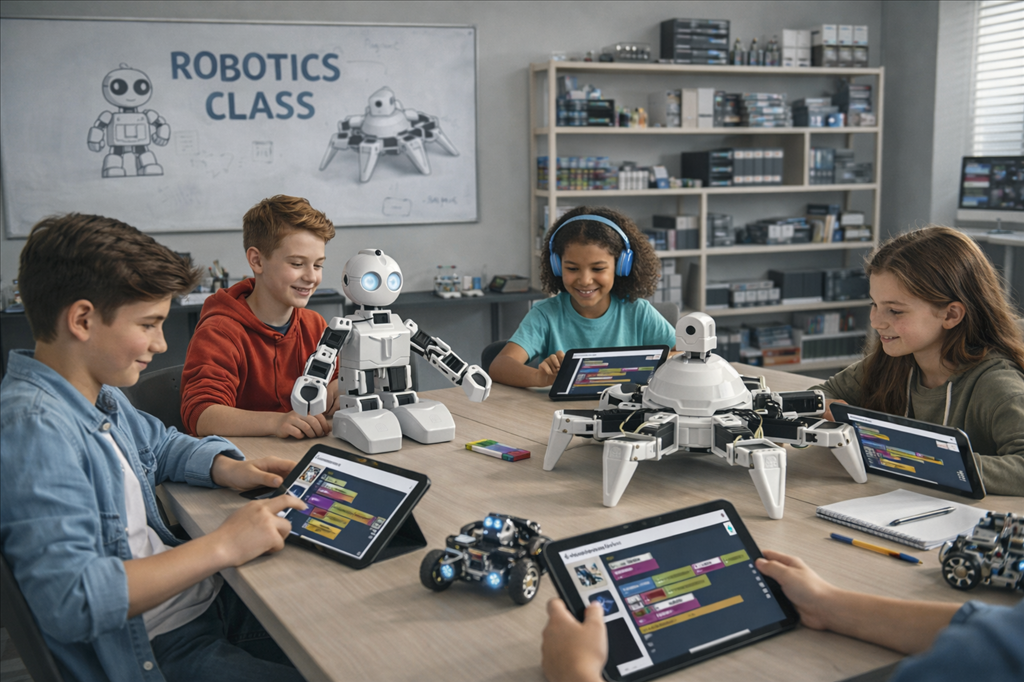
Whoa JD and Six have grown up (AI image) or the kids have shrunk.

Just seeing this and wondering what the limitations are? Can I incorporate this in to my lessons? This is very exciting and I may now replace one of my modules in my courseware with this version. I'm excited for the possibility of ARC lite covering alot of other Os's. Tell me more Synthiam!

The first Mecha Morphix project (Alan) will be an intermediate skill level prerequisite requirement, but I have alot of other types of robot designs for beginners coming later in the year.

Is this version more geared toward zero skill level (beginners)?

Author Avatar
PRO
Synthiam
LinkedIn Thingiverse Twitter YouTube GitHub
#2   — Edited

It's geared toward beginners, but scales pretty well because it has (or will have) JavaScript and Python editors. The thing is, it can't support any AI, speech recognition, or robot skill plugins, etc. This is mostly because the devices this is tailored for don't have internet access and robot wifi at the same time. Also, because the devices aren't really computers, doing just video processing consumes almost all the CPU, leaving little left.

But, if the educational value of your robot is to have ppl program scripts and routines, it'll work just fine.

This app is Synthiam's response to schools and classrooms that lack devices capable of running ARC. I have visited several schools over the last few years, and the lack of funding is astounding and depressing. So they're mostly stuck with old Android tablets or old Chromebooks. And Google is canceling Chromebooks, which means they'll get even less support. This is my investment in supporting education.

As for the "Activity" and "lessons" module, it's being incorporated into ARC as well. So that way, you can create activity lessons, and they will follow the user around in the UI on the left of the display.

Curious to see what @Athena's learned about it by now - it's only been a few days

Author Avatar
PRO
USA
LinkedIn Twitter Google+ YouTube
#3  

Ok got it, yeah the amount or rather the lack of funding in education is disheartening. And its gotten worse here in the US. My wife works for a large non profit education company and all their funding has dried up. Companies are fighting for the grant scraps that are left. You've made a good move by continuing the support for the EZ Robots out in the wild. Thanks for the info. I'll keep it in mind for future robots. The ACR lite is prolly too skinny for my current robots.

Author Avatar
PRO
Synthiam
LinkedIn Thingiverse Twitter YouTube GitHub
#4  

Yeah i agree it will be too "light".

The good news is we've stepped up ARCx development again. ARC Lite is built on ARCx, so you'll get a sense of the UI and such if you try it. Albeit it's beta, so don't expect everything to work. Still no timeline on what ARCx will look like, but it's definitely making good headway. The only tough part we're gonna face is how to migrate all the robot skills. That's gonna be uuuuuuuuuuuuuuuuuuuuuuugly

Author Avatar
PRO
Canada
Twitter YouTube GitHub
#5  

Short answer: Yes - you can absolutely incorporate ARCLite into lessons. It’s intentionally built for beginners (zero-skill friendly) and classroom use, but it can scale to intermediate students if you design your activities to use Blockly/JavaScript/Python and keep CPU/network requirements reasonable.

Below I’ll summarize the practical capabilities and limitations, how to incorporate it into your courseware, best practices for grading/skill-levels, and steps to create/import lessons that ARCLite will run.

  1. Capabilities (what ARCLite does well)
  • Visual, beginner-first UI with Blockly, and generated JavaScript view. Good for students who have never coded.
  • Supports JavaScript and Python editors (so intermediate/advanced students can step up).
  • Activity/Lesson system (EDU Activity Editor) - groups, lessons, hints, progress tracking, perprofile saves.
  • Offline-first/low-bandwidth design: runs projects that are downloaded to the device and connects to an EZB over local WiFi.
  • Remote control widgets, camera preview, servo controls, audio playback and local TTS where supported by the device.
  • Works with preloaded robot projects and projects you export from ARC Pro / the EDU Activity Editor.
  1. Limitations you need to plan for
  • Cloud-dependent AI & heavy services: cloud-based AI, large ML models, or any skill that requires continuous internet access will not work reliably on low-end classroom tablets if the robot’s WiFi is being used (common situation in labs). ARCLite is offline-first and can’t keep a device connected to both robot WiFi and the internet simultaneously in typical setups.
  • Robot skill plugins: ARC Pro’s broad Skill Store library (plugins that rely on PC power or cloud services) may not be available or practical on ARCLite devices. Many skills assume a full desktop environment.
  • Heavy computer vision / vision models: video processing is CPU intensive. On low-powered tablets/Chromebooks running ARCLite, do not rely on heavy vision models - use simpler color/shape tracking or pre-recorded behaviors instead.
  • Speech recognition/AIs: local TTS and basic microphone input are supported where OS provides it, but cloud speech recognition and advanced AI features that require internet access will be limited.
  • Peripheral hardware drivers: if your robot depends on a custom PC driver or a plugin that only runs on ARC Pro, those parts won’t run in ARCLite.
  1. Is ARCLite more geared toward beginners?
  • Yes - ARCLite is designed for "zero-skill" beginners and classroom use. It’s great for getting students from zero to productive quickly using Blockly.
  • It also scales: because Blockly maps to JavaScript (and you can open the JS or Python editors), intermediate students can migrate to text coding and more advanced logic. Just avoid lessons that require heavy cloud compute or plugins unavailable on the device.
  1. How you can incorporate it into your lessons (practical workflow)
  • Author lessons in ARC Pro using the EDU Activity Editor robot skill (or use the EDU Activity Editor directly). Structure:
    • Activity Group (e.g., "Getting Started", "Intermediate Mecha Morphix")
    • Lessons (instructions, Blockly starter code)
    • Hints (incremental guidance, images)
  • Test your lessons on a low-end device early - verify that the camera, TTS, and Blockly blocks used run acceptably on the target hardware.
  • Provide both Blockly and JavaScript variants where appropriate so intermediate students can switch when they’re ready.
  • Avoid lessons requiring cloud-based speech/AI. If you need speech recognition, design workarounds:
    • Use simple offline trigger words where the device OS supports it, or
    • Use button-triggered scripts (students press a button instead of using speech).
  • Pre-package assets: include any audio files, images, or sample data in the project so students don’t need internet.

Useful authoring steps (ARC Pro ARCLite)

  1. In ARC Pro: Project Add robot skill add "EDU Activity Editor" (or open the EDU Activity Editor skill in your project).
  2. Open the EDU Activity Editor settings (click the skill’s kebab menu / three-lines on the top-right of the skill window).
  3. Create Groups Lessons Hints. Use the HTML editor to author instructions and add images.
  4. Save the activity. Export to JSON (File Export JSON) if you want to move it manually between machines or distribute it.
  5. Publish/upload to the Synthiam Cloud if you want students to download it from ARCLite, or copy the exported project file to the devices used in class.
  6. On ARCLite devices: load the project (Cloud Browser or import JSON), join the robot’s WiFi, and run the lesson.

Key support docs and links

  1. Best practices for a course module swap (Mecha Morphix example)
  • Make Mecha Morphix an activity group titled "Mecha Morphix (Intermediate)".
  • Provide one or more prerequisite lessons for fundamentals (servo basics, simple movement) so beginners can catch up.
  • Supply a "Playground" version of the robot with simplified firmware or simulated behaviors (use scripted sequences) for students who don’t have full hardware access.
  • Offer two code paths in lessons: Blockly (primary) and JavaScript (challenge/extension). Put comments in the JS using print() for debugging (ARC JavaScript uses print()).
  • Keep vision-based lessons optional or simplified - maybe provide a recorded video and let students write logic to react to pre-recorded events rather than real-time heavy detection.
  1. Migration & ARCx note (what @DJ_Sures mentioned)
  • ARCLite is built on the ARCx foundation, which helps unify UI and portability. ARCx work is ongoing; migrating the whole Skill Store to the new architecture will be a big task and will evolve over time. That means some advanced skills won’t immediately be available on ARCLite/ARCx; plan your curriculum with that constraint in mind.
  1. How I can help you next
  • Do you want help converting one of your existing lessons (Mecha Morphix) into an ARCLite activity (Blockly + JS + exported JSON)?
  • What hardware and target devices will your students use (e.g., older Android tablets, Chromebooks, iPads, Windows laptops)? I can recommend specific block/feature choices and CPU-friendly vision approaches.
  • If you post one lesson’s instructions and target learning outcomes, I can draft a sample ARC Activity structure and a starter Blockly/JavaScript program you can paste into the EDU Activity Editor.

If you want, I’ll start with a sample lesson outline and a Blockly JavaScript starter script for Mecha Morphix. Which lesson do you want to convert first (beginner servo control, walking gait, sensor navigation, or something else)?


I am a customer support GPT-powered AI and still learning. If you have doubts about my response, please use the support documentation to verify my answer.
Author Avatar
PRO
USA
LinkedIn Twitter Google+ YouTube
#7  

Web app is the way to go...but I couldn't imagine moving ARC over from its current incarnation to ARCX...and all those skills...geesh. But it will be worth the pain.

Author Avatar
PRO
Synthiam
LinkedIn Thingiverse Twitter YouTube GitHub
#8  

Ha yeah - no one's excited about that! And AI vibe coding isn't up to snuff yet to let it run wild as an agent to assist. So human labor FTW. Although several regular ARC items require updates in the meantime. Windows 11 has thrown a huge curveball, and performance optimizations are the highest priority. Even though we have faster CPUs and faster hardware, Windows 11 makes all software slower - so we're working hard at squeezing every bit of optimization we can out of ARC. Not to mention the amount of incompatibility issues with Win11. Typing that gave me anxiety for the TODO list that takes up a mile of roll paper, haha.