
Tutorial
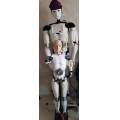
InMoov06
France
Published
— Updated
Here is a python script, which will give you the lottery numbers to play.
Related Hardware
(view all EZB hardware)

EZ-B V4
by EZ-Robot
EZ-B v4/2 robot controller: dual Cortex ARM, Wi-Fi, audio/video, 24 servo/digital ports, I2C/UART, camera and Synthiam ARC control for custom robots
Wi-Fi / USB
Servos
24
Camera
Audio
UART
3
I2C
ADC
8
Digital
24

(python language)
The program is planned for a draw of 5 numbers and a lucky number. (French lottery). You will need to change the lottery program in your country.
here is the python code:
import random

def loto():
     table1  = [(random.randint(1,49)), (random.randint(1,49)), (random.randint(1,49)), (random.randint(1,49)),(random.randint(1,49))]
     tablefin = []
     doublon = []

     for i in table1:
         if i not in tablefin:
             tablefin.append(i) #supprime les doublons
         else:
             doublon.append(i) #extraire les doublons
     d = len(doublon)
     while d > 0:
     #nouveau tirage
         doublon = []
         table1  = [(random.randint(1,49)), (random.randint(1,49)), (random.randint(1,49)), (random.randint(1,49)),(random.randint(1,49))]
         # recherche doublon
         for i in table1:
             if i not in tablefin:
                  tablefin.append(i) #supprime les doublons
             else:
                 doublon.append(i) #extraire les doublons
             # si il existe doublon d+1 et vide la table
             if (len(doublon)==1)or(len(doublon)==2)or(len(doublon)==3)or(len(doublon)==4)or(len(doublon)==5):
                 talkBlocking("j ai trouver un doublon , je refais un tirage")
                 d = d+1
                 doublon =[]
             else:
                 d = 0
             break
     # tri la table avant de la dire
     table1.sort()
     Audio.Say("Voci les numéros a jouer au loto .")
     Audio.Say("le "+str(table1[0]))
     Audio.Say("le "+str(table1[1]))
     Audio.Say("le "+str(table1[2]))
     Audio.Say("le "+str(table1[3]))
     Audio.Say("le "+str(table1[4]))
     Audio.Say("Et le numéro chance le, "+str(random.randint(1,9)))
     Audio.Say("Je vous souhaite bonne chance, ")

loto()
you will need to translate the sentences into the language of your country:
example: Audio.Say ("Here are the numbers to play the lotto.")
if you won, think of me, thank you ...
note : To make the EZROBOT micro-controller speak, replace Audio.Say by Audio.SayEZB . If you are interested in pthon programs, I can give you more here.

Nice. You have a inmoov?
yes , a big and small inmoov. https://inmoov.monsite-orange.fr
Wow how big is the big one? Or how small is the small one lol. Can’t tell by the photos but that’s real great!
hello, the small 1m13 and the big 1m80 .
My new project to replace the arduino with EZ-BV4, to make the little inmoov more autonomous.
can you translate that code into English?
What scale did you print the small guy at?
Hello perry scale 0.64 to adapt to small servomotors. The STL files can be found on my download section. https://inmoov.monsite-orange.fr
Hello EzAng
i don't speak english, i use google translate. To translate the sentences into English, just translate the sentences between quotes as well as the comments.
example :
recherche doublon. ==>
duplicate search
Audio.Say("Voci les numeros a jouer au loto .")==> Audio.Say ("Here are the numbers to play the lotto.")