


Asked
 Resolved by DJ Sures!

No Port V0 To Choose
Related Hardware (view all EZB hardware)

JD Humanoid
by EZ-Robot
JD humanoid robot kit - WiFi-enabled, 16 DOF with metal-gear servos; easy, fun, educational, available from the EZ-Robot online store.
Wi-Fi / USB
Servos
24
Camera
Audio
UART
3
I2C
ADC
8
Digital
24
Related Robot Skill (view all robot skills)
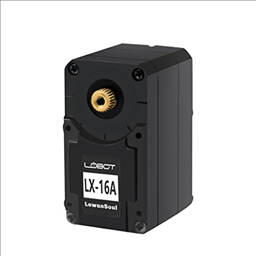
Lewansoul Servo
by LewanSoul
Control LewanSoul LX-16A servos via ARC (EZ-B v4/IoTiny): assign virtual ports, read positions, set speeds, and enable continuous rotation.
Requires ARC
v30

Do LewanSoul bus servos allow an ID of 0?
You have JD humanoid selected as the product. Are you adding a Lewansoul bus servo to an EZ-Robot JD Humanoid? Or did you mean to select a different product for this question? Such as EZ-Robot EZ-B v4 or Arduino Uno, etc...
According to the LX-16A Bus servo User Manual... There is no ID #0. What are you attempting to use ID #0 for?
dj
i am trying to make a jd with lewansoul servo's.
thank you
The manual for lewansoul servos will be useful