
dReadSolJah
Austria
Asked
 Resolved by Jeremie!
Using Vive Controllers For Arms?
Hi,
ive successfully managed to get Virtual Reality running with my HTC Vive and the JD Camera, very nice
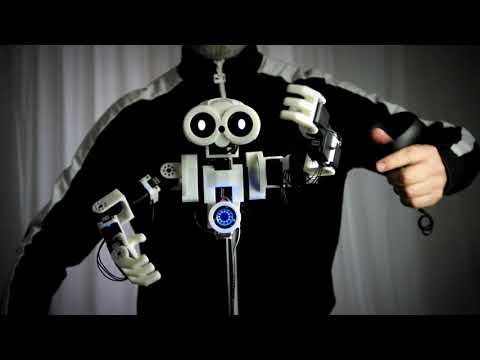
Is anyone aware how to use the Vive Controllers to control the arms, like in that video as JD controls the arms live and sets up new frames via button clicks?
That would be awesome!
Thx and greetz!! Thomas
Related Hardware (view all EZB hardware)

JD Humanoid
by EZ-Robot
JD humanoid robot kit - WiFi-enabled, 16 DOF with metal-gear servos; easy, fun, educational, available from the EZ-Robot online store.
Wi-Fi / USB
Servos
24
Camera
Audio
UART
3
I2C
ADC
8
Digital
24
Related Robot Skill (view all robot skills)

Virtual Reality Robot
by Synthiam
Stream robot camera to VR and control servos with headset pitch/yaw; supports SteamVR and Cardboard (iOS/Android) for immersive teleoperation
Requires ARC
v30

Do those headsets come with controllers and 6DOF inside out tracking....some of them seem to be pretty low priced! I guess it all boils down to the specs!!
Yeah they have controllers. They dont require any perm set up in the room. They are easy to set up. Here are the specs on the Acer:
Display Size: 2.89" x 2 & Resolution: 2,880 x 1,440 (1,440 x 1,440 per eye) Refresh Rate: 90Hz - Using HDMI 2.0, 60Hz - Using HDMI 1.4. Field of View 100 degree Tracking Sensors: Gyroscope, Accelerometer & Magnetometer Tracking Camera: Inside Out B+W VGA camera Connectivity: 1 x HDMI 1.4/2.0 & 1 x USB 3.0 (Cable Length: 13 feet)
Oculus Quest specs:
Display panel: OLED Display resolution: 1440 x 1600 per eye (Oculus Rift had 1080×1200 per eye) 100 degree FOV 72Hz refresh rate Qualcomm Snapdragon 835 processor 4GB RAM
Lithium-ion battery with 2-3 hours playtime, depending on what you are playing 6 degrees of freedom head and hand tracking Two touch controllers Weight: 571g (Rift is 470g)
The Oculus Quest does not need to be connected to a PC, it is a standalone device, no need for cables either...but it can also be used via cable to a PC and you can use it with the Oculus Store and Steam VR...
Mickey - i believe Oculus pulled away from Steam VR support for the Quest: https://www.engadget.com/2019/06/12/oculus-quest-virtual-desktop-app-steamvr/
I wouldn't touch an oculus device with a ten foot pole. Their business ethics have astounded me since the beginning...
No, I am using Steam VR without any problems!
But I do agree that since Facebook bought Oculus, and is sponging up the VR market...it would be very good to have another company, to keep VR diversity alive!
Its just a shame that HTC is moving away from the consumer market!
I am not speaking pro Facebook, I just choose the device from the money vs specs and portability!
Virtual Desktop was discontinued when Oculus Link was released!
It is a standard download in the Oculus Go store and works amazing with my PC games,just finished some robot battles in Borderlands2 and Fallout 4 in my Steam/PC Library. You can still even sideload Virtual Desktop if you have the Quest,still works My favorite is of course the Terminator Resistance PC game in the Oculus Go ,the T-800 really look about 7-8 feet tall in VR and practically give you a heart attack when they sneek up on you. Also ever since the Tridef 3D went belly up ,new programs for the thousands of steam games have surfaced for 3D effect to all Oculus devices called "Reshade" free and works just as good as Tridef ever did, I tried out MadMax with the reshade and it looks awesome in 3d and vr wrapper in the Oculus. I like to keep the car view inside the car looking out the window,so realistic when driving and shooting your shot gun out the side windows.