

Kaito_Nakamura
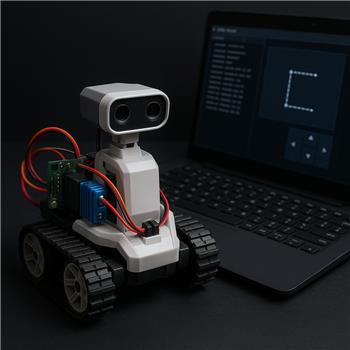
Touch Path Driving With Sabertooth
I’m running a Roli Rover with the EZB v4 over WiFi and swapped the stock Hbridge for a Sabertooth 2x12 (Simplified Serial on S1). In ARC I added the Sabertooth Movement Panel and set it to Software Serial on D5 at 9600 baud, common ground to the EZB, battery straight to Sabertooth. manual control from the Sabertooth Movement Panel works great: forward/reverse/left/right all respond smoothly and the speed sliders behave as expected.
The problem starts when I add the Touch Path skill. I set Movement Speed to 60 and Turning Speed to 40. When I draw a short Lshaped path, the debug console shows commands like:
TouchPath: Forward 1200ms @ 60
TouchPath: TurnRight 450ms @ 40
TouchPath: Forward 800ms @ 60
Sometimes Roli executes the first forward but then hesitates and either doesn’t turn at all, or turns a tiny bit and stops. Other times it completes the turn but ignores the final forward. If I immediately tap the Sabertooth panel’s arrow buttons, the rover moves, so the controller is still responsive. I tried lowering baud to 2400, increasing to 38400, tweaking Touch Path speeds up/down, and ensuring there’s only one Movement Panel in the project. I also tried moving the Sabertooth serial line to a different digital pin for software serial. Same behavior. When I switch the Sabertooth Movement Panel to use a hardware UART instead of software serial, it seems more consistent, but I still get occasional missed turns on longer paths.
Is there a recommended wiring/config/calibration workflow to make Touch Path reliably drive a Roli via the Sabertooth Movement Panel (e.g., hardware UART strongly preferred, specific speed/turn ratios, or perside trim) so that the Forward/Left/Right commands don’t get dropped?
Related Hardware (view all EZB hardware)
Related Robot Skills (view all robot skills)


Yes - for Touch Path + Sabertooth, the most reliable setup is usually:
Recommended approach
1) Use Hardware UART instead of Software Serial
For timed path driving like Touch Path, hardware UART is strongly preferred. Software serial can be more sensitive to timing jitter because Touch Path is issuing timed movement changes back-to-back.
On an EZB v4, configure the Sabertooth Movement Panel to use a hardware UART if available, and match the Sabertooth baud exactly.
Sabertooth docs:
2) Make sure the Sabertooth dip switches match the baud and mode
For Simplified Serial, verify the Sabertooth 2x12 DIP switches are set for:
If ARC is set to
9600, the Sabertooth must be set to9600.If you’re not sure, I’d recommend testing at the Sabertooth’s recommended Simplified Serial baud for your model and keeping ARC matched to that.
3) Keep Touch Path speeds conservative
Touch Path is timed movement, not encoder-based movement. That means the robot is never truly "measuring" whether it made the turn correctly - it’s only estimating based on time.
For a rover like Roli, try:
35-5025-40Your
60/40is not crazy, but if the rover is overshooting or under-turning, reduce both and re-test.Touch Path overview:
4) Calibrate in this order
A good workflow is:
Confirm Sabertooth manual driving works
You already did this - great.
Test Touch Path with one very short line
Tune turning first If the rover turns too little, increase turning speed slightly. If it turns too much, reduce turning speed.
Tune forward second If it travels too far on straight segments, reduce movement speed.
5) Expect some drift with Touch Path
Even when everything is configured correctly, Touch Path will never be as consistent as encoder-based navigation because:
So occasional slight mismatch is normal.
About the "dropped" commands
What you described - forward works, then turn hesitates or the last forward is ignored - usually points to one of these:
Since hardware UART improved consistency for you, that’s a strong clue that timing reliability is the issue, not the Sabertooth hardware itself.
What I would try next
Best test settings
Try this setup:
4030Then test:
If it still under-turns, raise turning speed in steps of
5.Wiring checklist
For the Sabertooth 2x12 in Simplified Serial:
If you use hardware UART, make sure you’re on the correct UART port in ARC’s Sabertooth configuration.
ARC note
If you want more reliable path following than Touch Path, ARC can do better with sensor feedback such as:
Touch Path is great for demo-style timed driving, but for a rover you’ll usually get better consistency by adding feedback. If needed, I can help you build a simple JavaScript-based path driver in ARC that uses timed turns plus a heading sensor for better repeatability.
If you want, I can help you with either of these next steps: