
 Resolved by
Question answered -- I figured it out -- solved --
answer - use SpeakStop() in a script, to stop Speech Syntheses --
Original question --
for others who may want to use this: Speech Syntheses
I did review this, can’t find an answers on the site.
Does anyone know a script to "stop speech syntheses" from continuing to read to the end of a paragraph of text I put in there?
I use a script to hear it out of my pc - ControlCommand("Speech Synthesis", "SayPC")
But can’t stop it, where I want to stop it in a paragraph.
I try did scripts with: Stop() StopAudio() ControlCommand("Speech Synthesis", "SayPC", "stop")
Still plays to the end, any suggestions anyone?
Thanks in advance
found an answer to stop Speech Syntheses, SpeakStop() in a separate script.
EzAng



question answered, thanks
I have an old program ReadPlease, reads anything I paste into it.
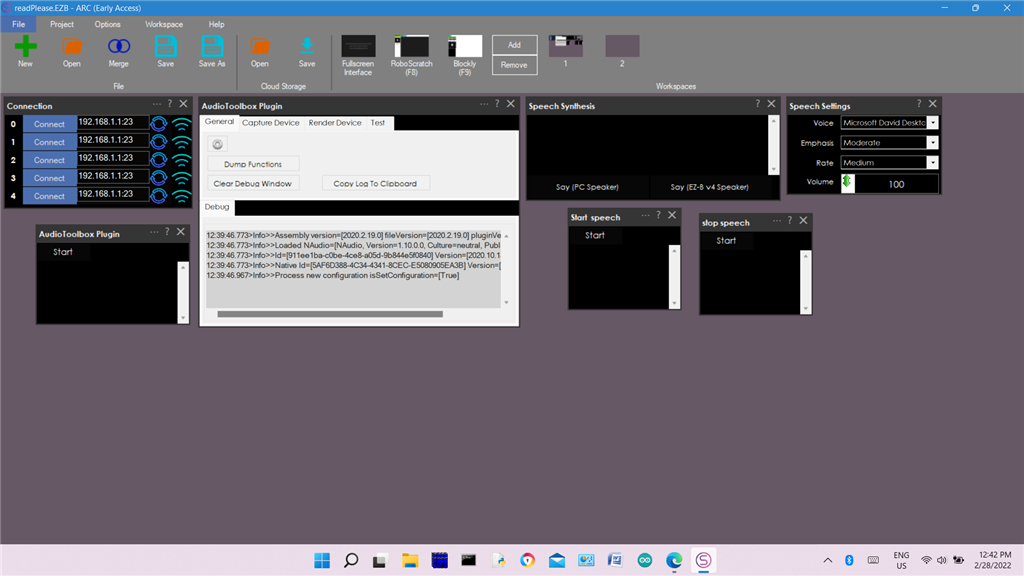
so I made a program like this
When I don’t feel like reading a long dialog, I use my program I made, it reads it to me :-)
That's a good idea A little reader for ya
There's also a STOP SPEAKING button in the Options
Thanks DJ, I did not know that was there,
lol, have to learn ARC better :-)