
PRO
RoboHappy
USA
Asked
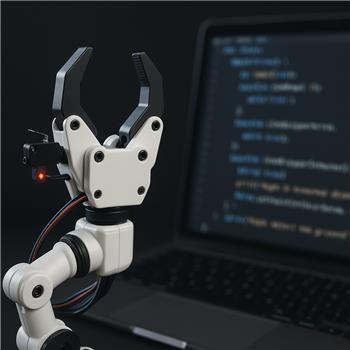
Separate Gripper Control Scripts
New gripper control - help needed
I still need help controlling each gripper using both its IR sensor and a lever switch to detect when the gripper has closed.
I'm running this as ARC built-in JavaScript on an EZB (the script uses ADC channels and servo ports). The code I have so far:
var rightGripperServo = v9;
var leftGripperServo = v25;
var rightIr = ADC1;
var leftIr = ADC2;
var rightLever = ADC6;
var leftLever = ADC7;
var closeSpeed = 10; // 0 = fastest, 10 = slowest

function closeRightGripperOnIR() {
  while (true) {
    ADC.waitForLower(rightIr, 35);
    print("Right IR detected object. Closing gripper...");
    Servo.setSpeed(rightGripperServo, closeSpeed);
    Servo.setPosition(rightGripperServo, 1);
    while (ADC.get(rightLever) != 0) {
      sleep(20);
    }
    print("Right object now gripped");
    // Keep holding - do NOT release servo
    Servo.setSpeed(rightGripperServo, 0);
  }
}

function closeLeftGripperOnIR() {
  while (true) {
    ADC.waitForLower(leftIr, 35);
    print("Left IR detected object. Closing gripper...");
    Servo.setSpeed(leftGripperServo, closeSpeed);
    Servo.setPosition(leftGripperServo, 1);
    while (ADC.get(leftLever) != 0) {
      sleep(20);
    }
    print("Left object now gripped");
    // Keep holding - do NOT release servo
    Servo.setSpeed(leftGripperServo, 0);
  }
}

// closeGrippersSlowUntilSwitch();
Can you make separate scripts for each gripper?
Desired behavior for either the left or right gripper:
- Open the gripper via a speech command (using ARC speech recognition Robot Skill).
- The gripper finds the object to grab via its IR detector.
- The gripper begins to close slowly onto the object.
- The object presses the lever switch.
- The servo stops but continues holding the object. The gripper will continue to hold the object until told to release it.
Thanks!
Related Hardware (view all EZB hardware)

EZ-B V4
by EZ-Robot
EZ-B v4/2 robot controller: dual Cortex ARM, Wi-Fi, audio/video, 24 servo/digital ports, I2C/UART, camera and Synthiam ARC control for custom robots
Wi-Fi / USB
Servos
24
Camera
Audio
UART
3
I2C
ADC
8
Digital
24
Related Robot Skills (view all robot skills)

Script
by Synthiam
Multi-language ARC Script: build, run and debug Blockly, JavaScript, EZ-Script or Python with Intellisense, run/save/load and Roboscratch support

Speech Recognition
by Synthiam
Windows Speech Recognition skill: detect custom phrases via PC mic, trigger configurable scripts/actions with adjustable confidence.

Yes - it’s better to split this into two separate scripts, one for the right gripper and one for the left gripper. That keeps each gripper independent and easier to debug.
A couple of important fixes first:
ADC.get()should read the analog sensor port onlyDigital.get()instead ofADC.get()Right Gripper Script
Left Gripper Script
Notes
ADC6/ADC7to digital ports because a lever switch is typically an on/off input.v25for the left gripper servo. That’s fine if it’s a virtual servo port from a servo skill. If it is a physical EZ-B servo port, that would need to be changed.Open / Release behavior
You mentioned:
That usually means you want a separate release script for each gripper. For example:
and similarly for the left gripper.
Best ARC setup
If you’re using speech recognition in ARC:
"open right gripper""open left gripper""release right gripper""release left gripper"If you want, I can help you make this into a cleaner structure with:
If you share:
v9andv25are definitely virtual servo portsI can tailor the scripts exactly to your grippers.
Just so you know, the gripper servos v9 and v25 are the physical ports used on a SSC32 and I am using the ssc32 version2 skill to control this. I like the idea of using D6 and D7 instead of ADC6 and ADC7 for the limit switches on the grippers.
Each grippers open position is this:
Each grippers close position is this:
Left gripper = v25, Right gripper = v9
Perfect - that clarifies it.
Since v9 and v25 are virtual servo ports from the SSC-32 v2 skill, your approach is correct. And yes, using D6 and D7 for the limit switches makes more sense if those switches are simple on/off contacts.
Recommended behavior
For each gripper:
Left gripper close script
Use this for the left gripper on v25:
Right gripper close script
Use this for the right gripper on v9:
Open scripts
Since your open position is
180, here are simple open scripts.Left open
Right open
Release scripts
If you want a separate release command that opens the gripper, you can use the same open scripts above.
Important note about servo holding
One detail: with SSC-32 v2, setting speed to
0does not necessarily mean torque hold/torque off the way a smart servo might behave. The SSC-32 is sending servo pulse positions, so the servo will usually continue to hold its last commanded position as long as power is maintained.So this is fine:
and then leave it there.
If the gripper is slipping after reaching the lever switch, that usually means one of these:
Suggested speech commands in ARC
In the Speech Recognition skill:
Then assign each phrase to the matching script.
The settings are in the skill’s kebab menu (``) on the top right of the skill window.
One improvement I’d suggest
If you want, I can help you make each gripper into a single reusable function like:
closeGripper(name, servoPort, irPort, leverPort)openGripper(servoPort)releaseGripper(servoPort)That would reduce duplicated code and make ARC easier to maintain.
Quick question
Are your lever switches wired as:
That determines whether the
Digital.get(...) == falselogic should be inverted.To answer your question....
Quick question
Are your lever switches wired as:
That determines whether the
Digital.get(...) == falselogic should be inverted. The grippers lever switches are "normally closed" and will go LOW when pressedSo you can correct to the two programs accordingly.
Also I would like to see the additional improvement you also suggested.
Absolutely - for normally closed lever switches that go LOW when pressed, the logic should be:
Digital.get(port) == falseDigital.get(port) == trueSo your existing
while (Digital.get(... ) == false)approach is correct if you want to wait until the lever is pressed.Cleaner reusable approach
Below is a more maintainable version with shared functions for:
Shared script functions
Left gripper script
Use this for the left gripper = v25, IR = ADC2, lever = D7:
Left open script
Left release script
Right gripper script
Use this for the right gripper = v9, IR = ADC1, lever = D6:
Right open script
Right release script
Why this version is better
This keeps the logic in one place, so if you later change:
you only change it once.
ARC Speech Recognition setup
In the Speech Recognition skill, you can map phrases like:
open left gripperclose left gripperrelease left gripperopen right gripperclose right gripperrelease right gripperThen assign each phrase to the corresponding script.
You can edit the skill’s commands in the kebab menu on the top right of the Speech Recognition skill.
Reference:
Optional improvement
If you want, I can make this even cleaner by giving you:
That would let ARC call the same script with a variable like
"left"or"right"instead of duplicating phrases.If you'd like, I can write that next in JavaScript for ARC.
While I like the separate Left gripper close script (Use this for the left gripper on v25)) and the Right gripper close script (Use this for the right gripper on v9) that you created, which I may stick with, it was the Shared script functions that I am a little confused with. I didn't see any port numbers listed in this script? Do the other scripts that follow have to included elsewhere?
Yes - the shared functions script is meant to be a helper script block, and the port numbers are passed in when you call the functions later.
So there are two parts:
The reusable function definitions
These do not include specific ports because they’re written to work with either gripper.
The actual calls
These are where you provide the ports like
v25,ADC2,d7, etc.How it works
You would place this in a script:
That script just defines the functions.
Then in a second script, you call them like this
Left gripper close
Right gripper close
Left open
Right open
Do the other scripts need to be included elsewhere?
No - not if they are in the same script window and executed together.
But in ARC, if you create separate script actions for speech commands, then each script box is independent. That means:
closeGripperOnIR(v25, ADC2, d7, "Left");closeGripperOnIR()must already exist in that same script executionBest way in ARC
You have two good options:
Option 1: Put all function definitions at the top of each script
Then add the one call at the bottom.
Example for left close:
Option 2: Keep each gripper as its own full script
This is simpler for you right now and perfectly fine.
Example left close script:
And right close script:
My recommendation
Since you said you may stick with the separate scripts, I’d suggest this for now:
That will be easier to debug in ARC.
If you want later, I can turn this into a single master script that takes a parameter like
"left"or"right"and handles both grippers from one script. That can be cleaner once everything is working.Would you like me to write the final left close / right close / left open / right open scripts in their simplest ready-to-paste form?
ok, so I see a couple of issues during some testing. First, I did decide to use the two separate scripts (one for each gripper). Second, I forgot, since I am using a SSC32, it does not allow servo speed to work, I will have to move the gripper servos directly onto the EZB4 (D8 =Left, D8=right) for testing. Does the PC9685 servo controller allow for servo speed? Third, I realized that a I need the IR gripper sensor and the lever switch to be active after I have verbally requested either gripper to open up and stay active until the object has been grabbed.