




when you type
controlcommand(scriptstart, "left")
it comes up with an error in the debug. when i type
controlcommand("left", scriptstart)
it doesnt do anything. and the quotation marks mess up, when i tried
controlcommand("left", scriptstart, "left")
still nothing.
has the script cue changed?

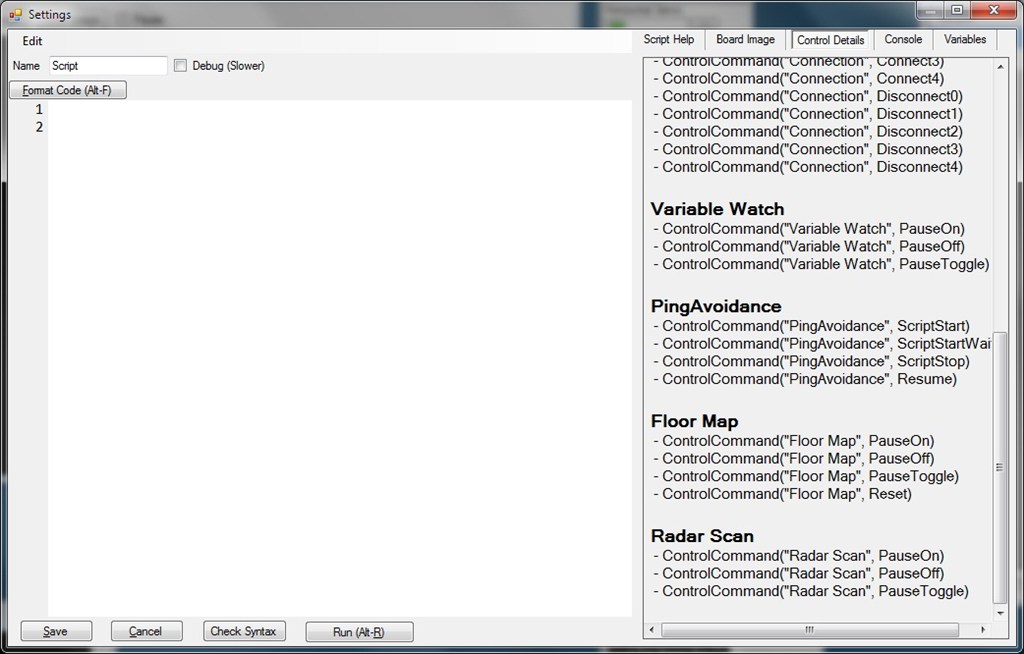
Use the click & paste option. Click on Cheat Sheet in the script dialogue and click one of the available options below and it pastes it in for you.
The syntax is
You must have a script named "Left" for that to work.
A quick video example of click & paste and that ControlCommand works just fine...
i have a custom script for turning. using ControlCommand i tell it to start the script, but it says theres an error
What's the error? It will tell you where the error in the script is and why its an error.
thanks got it to work after 2 tries
thanks for the help
software for my robot car is ready to go