

Rosspaintman
Unknown Country
Asked
— Edited
Issues With EZ-Inmoov And Chatgpt
I am having difficulty locating the EZ-InMoov robot head within the ARC software. I've thoroughly searched the program but have been unable to find it.
In addition, I'm encountering issues when trying to add OpenAI's ChatGPT as a robot skill in ARC. Despite performing a full system reboot and re-uploading the ARC software, the problem remains. I've also attempted a complete computer shutdown and restart, but that has not resolved the issue either.
I currently have an ARC Pro subscription, which should provide access to the OpenAI ChatGPT Robot Skill.
Athena AI, can you advise on the steps I should take to resolve these issues?
Related Hardware (view all EZB hardware)
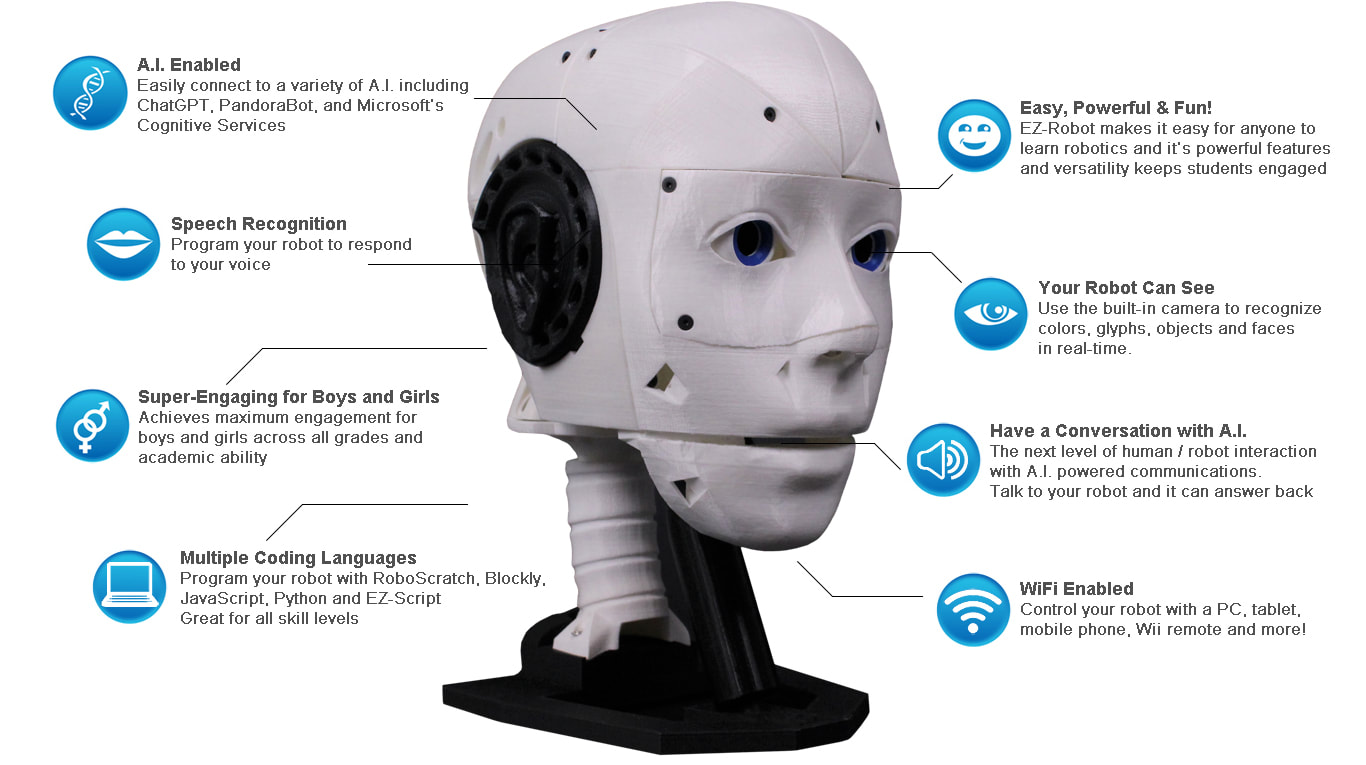
EZ-Inmoov Robot Head
by EZ-Robot & Gael Langevin
EZ-InMoov robot head-DIY educational humanoid kit powered by Synthiam ARC for vision tracking, speech, chatbot integration and mobile control
Wi-Fi
Servos
8
Camera
Audio
UART
✕
I2C
ADC
2
Digital
8
Related Robot Skills (view all robot skills)
Talk Servo V2
by Synthiam
Animate servos to simulate jaw/mouth with ARC text-to-speech; configurable vowel/consonant timing, start sync, multi-servo control, pause/stop.
Requires ARC
v5
Openai Chatgpt
by OpenAI
ChatGPT conversational AI for ARC robots-configurable personality, memory, image description, script execution, speech and API integration.
Requires ARC
v35

Thanks - I can help you get both the EZInMoov head files into ARC and the OpenAI ChatGPT robot skill added. A few important facts up front:
The EZInMoov head is hardware + example ARC projects, not a single "robot skill" you add from the Add Skill dialog. You install the Example Project or the required skills (Camera Device, Talk Servo, PandoraBot/OpenAI, etc.) into your ARC project. See the EZInMoov support page and example projects:
The OpenAI ChatGPT robot skill is available via ARC’s Add robot skill dialog but requires ARC to successfully sync with the Synthiam servers and for you to be signed in with the account that has the ARC Pro subscription.
Follow these stepbystep checks and actions. Stop after each step and try adding the skill or loading the example so we can isolate which step fixed the issue.
If that works, skip to step 6 (configure the skill). If not, continue.
I can give the next diagnostics (check ARC log, file permissions, or manual plugin install) once you tell me what error or behavior you see.
Would you please try the Force Sync step (delete AvailablePluginsList.txt) and let me know what happens when you restart ARC and try Project Add robot skill search "OpenAI"? Also tell me whether you can download other skills - that will help narrow this down.
Hello, we have identified an issue with the OpenAI distribution package referencing incorrect libraries. This issue affects OpenAI Chat GPT and Autonomous AI robot skills by OpenAI. We are working with the vendor to provide a solution shortly. In the meantime, we apologize for the inconvenience with OpenAI's robot skill. We're working with them to coordinate a solution shortly.
A quick update for this issue: the vendor has submitted an update to us, and it’s now going through Synthiam’s internal review and approval process. This typically takes 12-24 hours, depending on our team’s workload and validation steps.
Once the vendor update is approved and published, we’ll also be releasing a new ARC update. This update will include enhanced diagnostic output to help identify similar scenarios more easily in the future. It improves the visibility of certain internal conditions so these edge-case situations can be caught and understood faster.
To recap what happened: ARC encountered an unexpected condition during communication with the vendor’s API, and the response we received didn’t match what ARC was expecting. The vendor has already addressed the issue on their end and submitted the fix to Synthiam. Our team is now reviewing it, and the upcoming ARC update will add more detailed debugging information to help prevent ambiguity if something like this ever happens again.
We’ll post another update as soon as everything is approved and live.
The latest ARC update includes handling for the issue above. The update (see release notes) has special handling for cases where vendor-mismatched versions are provided in the package.