



I’m adding a small u-blox NEO-6M GPS module (TTL serial, default 9600 bps) to my EZ-Robot AdventureBot and trying to verify comms with the Serial Terminal skill. If I plug the GPS into a USB-to-TTL dongle on my Windows laptop and use Serial Terminal in PC Terminal mode (COM6, 9600, Flow Control: None), I get clean NMEA sentences every second. But when I move the same GPS over to the EZ-B v4 and switch Serial Terminal to EZ-B Terminal mode (UART on D5 TX / D6 RX, 9600, Flow Control: None), I either see random symbols or nothing at all.
Wiring details: GPS VCC to AdventureBot’s 5V on a digital port, GND to GND, GPS TX to EZ-B RX (D6), GPS RX to EZ-B TX (D5). I also tried powering the GPS from a separate 5V buck with common ground and got the same behavior. I verified baud at 9600, tried 4800/19200 just in case, and toggled the skill’s newline send options. If I keep the motors still, I sometimes see partial readable strings; if I drive the AdventureBot motors, the serial output becomes entirely garbled.
Things I’ve tried/observed:
- Swapped TX/RX to confirm crossing is correct
- Shortened the jumper leads and routed them away from the motor wires
- Added a 100 F cap across GPS VCC/GND at the module
- Confirmed the GPS talks cleanly via the PC Terminal again
Questions I’m stuck on:
- Is the EZ-B v4 UART RX pin 5V-tolerant, or do I need a resistor divider/level shifter from a 5V GPS TX?
- Any Serial Terminal skill settings I’m missing for EZ-B Terminal that affect stability (buffering, timing, CR/LF) when reading continuous streams?
- Best-practice wiring/power tips on AdventureBot to keep UART clean when the wheels are moving (caps, ferrite, separate 5V regulator, or using 3.3V instead)?
What’s the recommended way to reliably read a 9600 bps TTL GPS on the AdventureBot using the Serial Terminal skill’s EZ-B Terminal mode without getting noise or garbled data when the robot is driving?
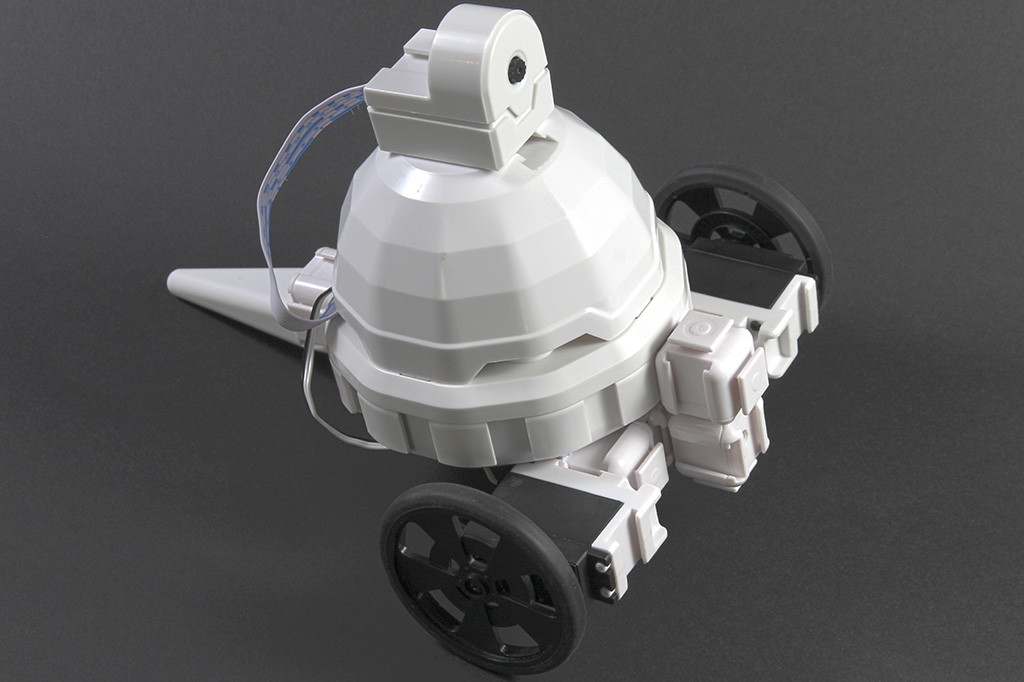



The behavior you’re seeing usually points to signal integrity/noise, not the Serial Terminal skill itself.
A few important notes for the EZ-B v4 / AdventureBot:
1) UART level compatibility
The EZ-B v4 digital pins are 3.3V logic, so a 5V GPS TX line into EZ-B RX is not recommended.
Even if it sometimes works, it can cause unreliable reads and potential long-term issues.
Best practice:
So yes - for a 5V GPS module, level shifting is the right move.
2) Why it gets worse when the motors move
That’s a classic sign of:
Even if the GPS works on the PC USB dongle, the AdventureBot environment is noisier when the drive motors are active.
3) Serial Terminal settings
For a continuous GPS stream, there usually aren’t special Serial Terminal settings that "fix" garbling in EZ-B Terminal mode.
Things to verify:
If you want to test the UART directly, a simple ARC script using
UART.initHardwareUart()andUART.hardwareUartReadStringAvailable()is often better for debugging than the terminal view.4) Wiring / power recommendations
For the AdventureBot, I’d suggest:
5) Recommended setup
For reliability, I’d do this:
6) Best way to confirm in ARC
Try reading the raw UART data in a small script instead of only the Serial Terminal display.
Example in JavaScript:
If the data is still garbled when the motors run, that further confirms a hardware noise / level issue rather than ARC settings.
Bottom line
Most likely fix:
Helpful links
If you want, I can help you wire the NEO-6M to the AdventureBot EZ-B v4 pin-by-pin and suggest exact resistor values for a divider.