


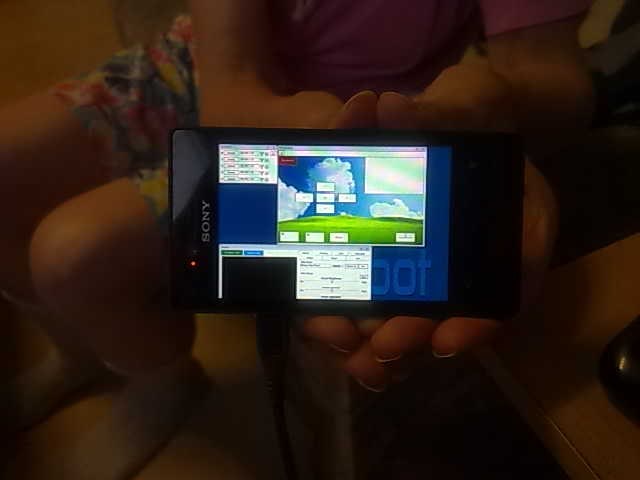
i downloaded the ez mobile and it chows up. do i dont have camera & sound recording. is this because i dont have a robot yet?
 Remote Mouse
— Scriptable Remote Mouse for ARC: control PC cursor and ARC window via ControlCommand, using voice, camera or I/O inputs; shows cursor coordinates.
Try it →
Remote Mouse
— Scriptable Remote Mouse for ARC: control PC cursor and ARC window via ControlCommand, using voice, camera or I/O inputs; shows cursor coordinates.
Try it →
 Resolved by Rich!
i downloaded the ez mobile and it chows up. do i dont have camera & sound recording. is this because i dont have a robot yet?

What do you expect to show where the camera image is going to go? With no camera it cannot get an image from anywhere
So yes, it is because you have no robot connected, or more precisely because you have no camera connected to the EZ-B which you are connecting to (that is if you are connecting to an EZ-B)
i have the old version camara from ez
OK, and where is the dongle for the camera connected? Bearing in mind that the mobile version doesn't connect to the PC.
The original camera which come with the EZ-B V3 developer kits connects to the PC via the wireless dongle. If that dongle is in the PC running ARC then it will display in ARC (Desktop). If it's in the PC it will not display on the mobile version since the mobile phone or tablet cannot access the camera.
dongle?
The part you plug in to the PC so the camera works with the PC.
It looks a little similar to this

Note, this isn't the exact one, I was too lazy to find the right one but you know what I mean I hope.ah i have that and works on pc
Yes, it will work on the PC because it is connected to the PC. It isn't connected to the mobile/tablet. Can you see why the video does not display on the mobile/tablet yet?
Jeez Rich... You're going to be able to send your kids to college helping Patrick....