
Proteus
Portugal
Asked
— Edited
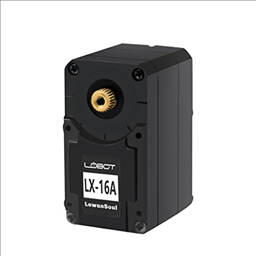 Lewansoul Servo
— Control LewanSoul LX-16A servos via ARC (EZ-B v4/IoTiny): assign virtual ports, read positions, set speeds, and enable continuous rotation.
Try it →
Lewansoul Servo
— Control LewanSoul LX-16A servos via ARC (EZ-B v4/IoTiny): assign virtual ports, read positions, set speeds, and enable continuous rotation.
Try it →

Here is a video showing the problem. Sorry for the quality.
https://youtu.be/qHxBdhkLkF8
Paulo
I know there have been some recent changes in ARC with Talk Servo, have you updated to the latest ARC version?
Every control has a gear icon, which represents the Configuration/Settings screen for that control. Press the gear icon for the Talk servo and adjust the parameters for your unique application. Every talk servo application is unique due to unknown attributes, such as servo speed by servospeed() or voltage, computer processing delays, and of course the length of lever attached to the servo for the mouth. In this case, sounds like the pause time before speaking.
Hi, have the latest version of ARC. When i use speach synthesis control there is no delay, only with pandorabot. ARC executes first pandora, speacks and only then executes the Talk Servo.
Paulo.