

 Resolved by



Afternoon All
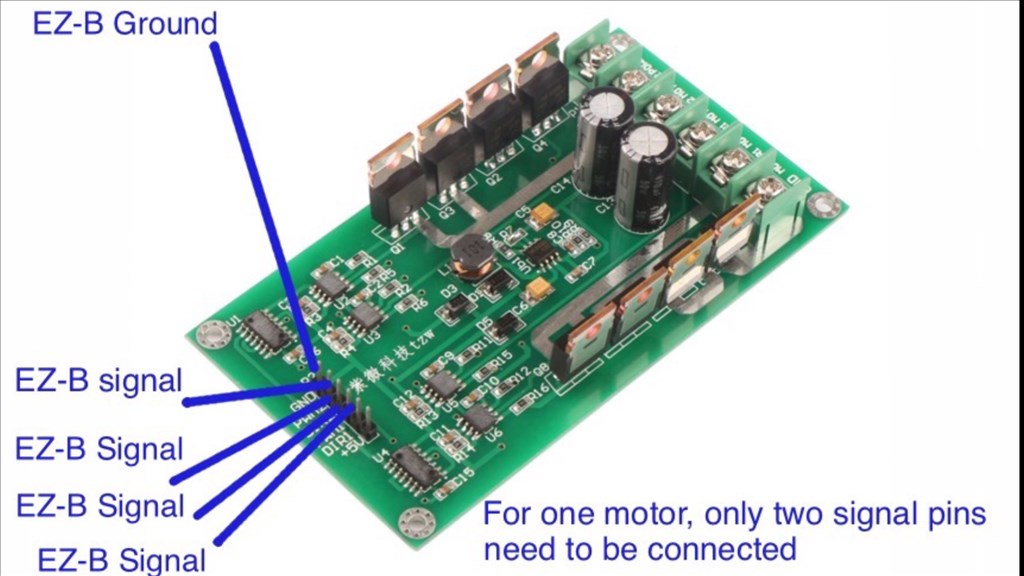
Can anyone confirm the H Bridges in the tutorials are still not suitable for 12 volt motors even with the new EZ boards? I want to avoid the headache of using a Pololu H bridge. The wiring and configuration are a nightmare  This is for a simple waist rotation, not high speed.
Thanks,
Daniel

Thanks everyone.
Daniel
@mulberry.
No problem. Did you get everything sorted in the end, and if so, what did you end up doing about the motor controllers?
When selecting an H-Bridge for two motors beyond the EZ-Robot store, be careful to verify that it will work with two motors. I and a few others newbies have accidently purchased H-Bridges that said Dual H-Bridges assuming it's for dual motors when in fact they were for a single motor and dual directions (which all of them are).
Best,
Bill
An h bridge by nature moves a DC motor in two (dual ) directions. You can buy h bridges that can control two different motors and move each of them in opposite directions. This includes the one sold here in the ez store. I think you may be a little confused. Maybe it's just the way you wrote your post.
Hi Steve
Until I learn to write script I'll use multiple EZs and just not activate a few functions. I need to get this build out of the garage :-)
Daniel