





Requested
2 Participants


Right Click, Move To Virtual Desktop Question
 Completed
 Get ARC Pro
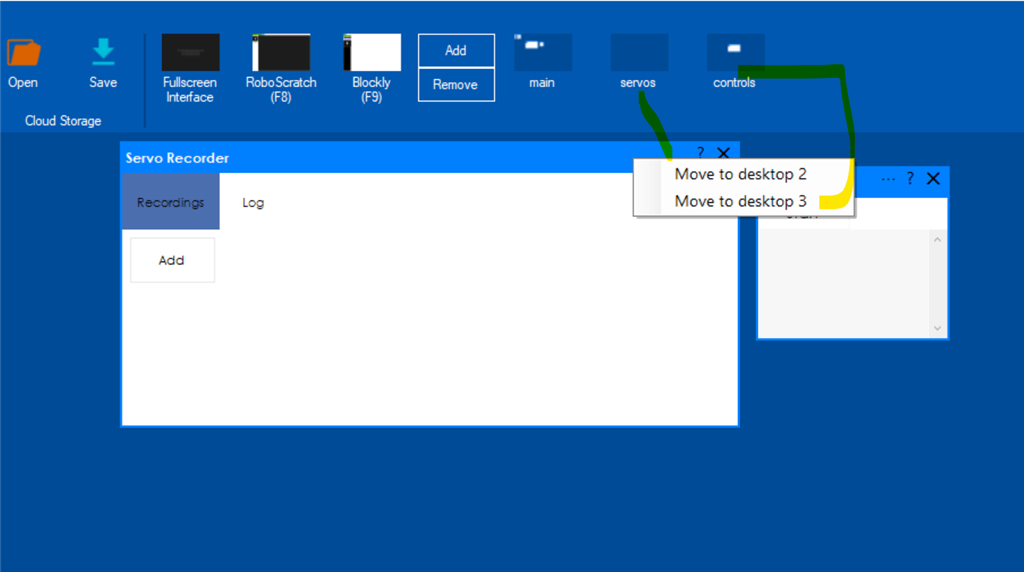
Are there plans for ARC be updated for skills "right click move to" ,to reflect which "renamed" virtual desktop you want to move it to vs the "move to desktop number" ?
Related Hardware
EZ-B v4

I also noticed this. When moving controls from one screen to another I have to remember I have to remember which number screen has a proper name.. Not so hard with three screens but when I start adding other screens it's hard to recall.
It’ll be included in the next update
Awesome! Thanks DJ.
Sweeeet. Thanks!