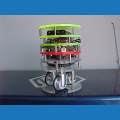
Machine27
USA
Asked
— Edited
-635055381688750000.jpg)
Tutorials Kinda Vague?
The ez boxbot instructions seem to end at step 11 with the servo panel. Where are the rest of the tutorials?
 Picture In Picture
— Picture-in-picture camera overlay: superimpose one camera onto another; configure source/destination, position, size, border, processed frames, and swap
Try it →
Picture In Picture
— Picture-in-picture camera overlay: superimpose one camera onto another; configure source/destination, position, size, border, processed frames, and swap
Try it →

@Machine27
The arms use 2 Vertical servos set to the digital ports which the servos are plugged in to.
The neck, if you want to have it move manually is a vertical servo and a horizontal servo again set to the digital ports plugged in to.
You can also use a few different controls for the neck, the servo pad for instance.
For camera tracking the neck servos need setting up in the camera options. Click on the settings button and set up the x and y servos as required.
If you need more info or help I can post up some screenshots later on today when I finish work, just ask and I'll pop some up.