
KumaBot
Japan
Asked
I’m driving a jaw servo from an ESP32 DevKit v1 (no camera) running the Synthiam ESP32 firmware over WiFi, and using the Sound servo (PC Speaker) skill to make the mouth move with TTS/music. Hardware details: MG996R on D14 (GPIO14, one of the safe pins), powered from a 5V/3A BEC with common ground to the ESP32, ARC connected as Board 0 to 192.168.1.83. The servo responds and the Sound servo level meter looks great, but I’m getting two issues: 1) about 1-2 seconds of lag between the audio and the jaw motion, and 2) when audio stops, the jaw keeps doing tiny twitches like it’s chasing background noise.
What I’ve tried:
- Verified Windows default playback is the builtin speakers (also tried a wired 3.5mm speaker; avoided Bluetooth to rule out BT latency).
- Adjusted Min/Max Position and Scalar in the Sound servo skill; motion scale changes but lag/twitch remain.
- Servo works instantly if I move it with the standard servo control, so WiFi latency seems low.
- CPU usage on the PC is low and ARC is otherwise snappy.
- Ensured the servo is on a safe pin and tested D12/D15 with same results.
Questions:
- Does Sound servo have an internal buffer or update rate I can reduce to eliminate the 1-2s delay?
- Could ServoSpeed be causing the lag, and should I explicitly zero it at startup like:
ServoSpeed(D14, 0)
- Is there a recommended way (script or setting) to add a small noise gate/deadband so the jaw holds still when levels are near silence?
What’s the best practice in ARC to remove the lag and add a noise floor for a smooth mouth on an ESP32-based EZB?
Related Hardware (view all EZB hardware)
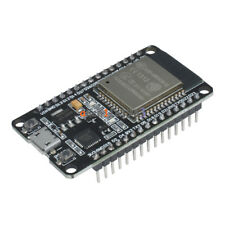
Esp32
by Espressif
Control ESP32 boards with Synthiam ARC: EZB-like firmware for GPIO, PWM/servos, serial, WiFi modes, safe pins, wiring and power tips.
Wi-Fi
Servos
Varies
Camera
Audio
UART
Varies
I2C
ADC
Varies
Digital
Varies
Related Robot Skills (view all robot skills)

Sound Servo (PC Speaker)
by Synthiam
Maps PC audio volume to servos in real time with scalar, min/max, invert & multi-servo options-ideal for syncing robot mouth to sound

Sound Servo (EZB)
by Synthiam
Map EZ-B audio volume to servos; multi-servo mirroring, scalar range control, invert/min-max, waveform feedback to sync mouth motion.

Yes - what you’re describing is usually not WiFi latency from the ESP32, since the servo is snappy when driven directly. It’s typically a mix of the Sound servo skill’s update timing, the audio capture/sampling behavior, and a little bit of low-level noise near silence.
What to check first
1) Sound servo has an update rate
Open the Sound servo (PC Speaker) skill’s settings from the kebab menu and look at the Update Speed value.
Try setting it to 100 ms or even slightly lower if the skill allows it.
Skill docs:
2) servo speed can add lag
Yes, servo speed can cause the jaw to "follow" slowly and make the mouth feel delayed.
For a lip-sync mouth, I recommend explicitly setting the servo speed to the fastest response at startup:
You can put that in an Initialization Script or a startup script so it always applies when the project loads.
If you want to verify the current setting:
Fixing the tiny twitches near silence
That twitching is usually because the audio level never truly reaches zero - the sound servo is reacting to tiny fluctuations in the audio floor.
Best practice: add a noise floor / deadband
The cleanest approach is to not rely on the Sound servo skill alone if you need tighter control. Instead:
If you want, you can also build this as a small custom robot skill in ARC using JavaScript or Python:
Simple deadband script example
If the Sound servo skill is writing its detected level to a global variable, you can use a script to "hold still" below a threshold.
Example JavaScript logic:
Notes:
$AudioLevelwith the actual variable name used by your Sound servo skill90/130with your real closed/open mouth positionsEven better: smooth the value a little
If the jaw still jitters, add a small smoothing filter so tiny spikes don’t move the servo.
Why the lag may still exist
If the delay is truly 1-2 seconds, that’s longer than I’d expect from the skill alone. A few things to check:
Also, note that Sound servo (PC Speaker) reacts to your PC’s system audio output, not the ESP32’s audio. If your TTS/music is routed through a device with any processing or enhancement, that can change the feel.
My recommendation for the smoothest mouth on ESP32
Set servo speed to 0
Set Sound servo update speed to 100 ms
Use a deadband
Optionally smooth the motion with a small filter
Make sure only one thing is controlling the jaw servo
Best ARC approach
If you want a really polished mouth with less twitch and better control, I’d actually recommend moving from the stock Sound servo skill to a small custom JavaScript solution that reads the audio level and drives the servo with your own threshold/smoothing rules. That gives you much more control than the built-in behavior.
If you want, I can write you a ready-to-paste ARC JavaScript script for:
If you share the exact variable name the Sound servo skill is using, I’ll tailor it for your project.