

skeemodog
USA
Asked

Noob Looking To Connect A Bot
Hello All,
I am just starting out with robotics and need guidance on the next steps.
I have a third-party TurtleBot that is based on a Raspberry Pi (RPi). It operates using a built-in coded interface and is powered by two 18650 batteries. The robot is equipped with a camera, distance measuring sensors, line-following capabilities, and motors for driving. Additionally, it has WiFi and USB connectivity.
My question is: How do I interface this robot with Synthiam ARC? Should I integrate an EZ-B controller with the Raspberry Pi? Alternatively, should I connect an EZ-B controller on a separate device to the Raspberry Pi? Or, do I need to start from scratch with the hardware setup?
Any help would be greatly appreciated.
Thanks,
John
Related Hardware (view all EZB hardware)
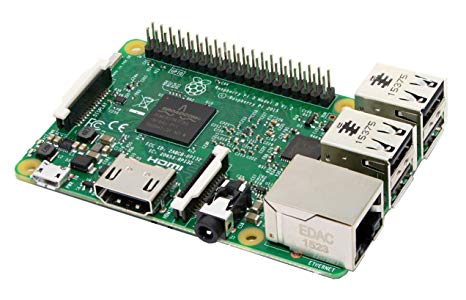
Raspberry Pi
by Pi Foundation
Run Synthiam ARC on Raspberry Pi 4+ with Windows 11 for robot control; use external EZB/Arduino for reliable I/O, SSD/USB storage recommended
Wi-Fi
Servos
✕
Camera
Audio
UART
✕
I2C
ADC
✕
Digital
✕

DJ, could you share what kind of 4 DOF IMU will be used. I am just finishing my robot platform and could include it.
6050 because it’s the most popular