humanoido
Taiwan
Asked
— Edited
Jd Photo Me
Using its camera, how can JD take a still photo of me and save it without my help? Thank you.
 Stream All The Video Sources
— Stream video from any URI/protocol (RTMP, RTSP, HTTP, UDP, etc.) to a selected ARC camera device for real-time network feed playback.
Try it →
Stream All The Video Sources
— Stream video from any URI/protocol (RTMP, RTSP, HTTP, UDP, etc.) to a selected ARC camera device for real-time network feed playback.
Try it →
Using its camera, how can JD take a still photo of me and save it without my help? Thank you.

The LEARN section has information and activities to teach you how to begin programming your robot. If you wish to skip the activities, it may be difficult.
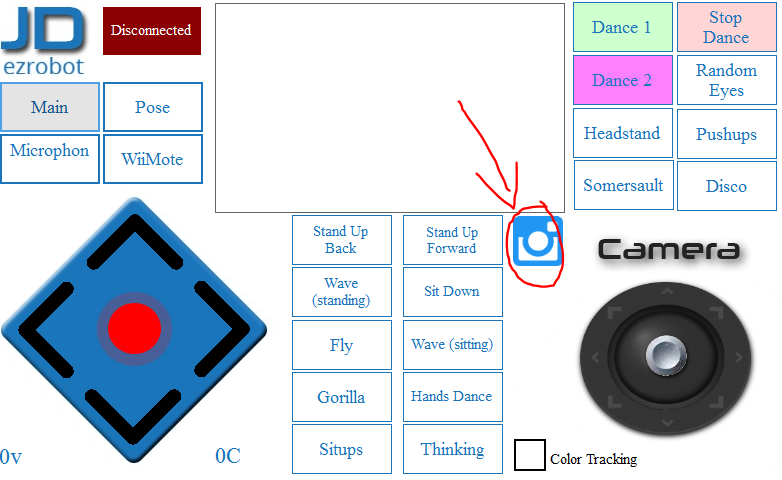
The snapshot control can be used to manually take a picture in ARC for windows: https://synthiam.com/Tutorials/Help.aspx?id=81
In software you can use the ControlCommand() to instruct the Camera Control to take a photo. This can be triggered by any reason you choose. The Activity section will help you start smaller. Activities are here: https://synthiam.com/Tutorials/Course/6
On Mobile the snapshot button can be pressed:
I recommend folllowing the ACTIVITIES course to become familiar with programming: https://synthiam.com/Tutorials/Course/6
If you completed the JD tutorial, the last lesson directs to the Activities. Please complete the JD tutorial.