


Asked
— Edited
Ip Cam?
Hello, is it possible to use instead of the single-cam an IP wireless webcam? Has anyone ever tested this?
Thanks Sven
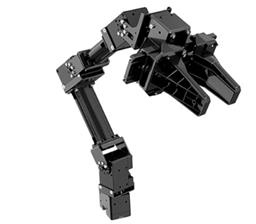 Robotis Openmanipulatorx
— Inverse kinematics for Robotis OpenManipulatorX: compute joint angles and MoveTo 3D (cm) positions, supports camera-to-CM mapping for pick-and-place.
Try it →
Robotis Openmanipulatorx
— Inverse kinematics for Robotis OpenManipulatorX: compute joint angles and MoveTo 3D (cm) positions, supports camera-to-CM mapping for pick-and-place.
Try it →

yes,i use a foscam ip cam on my robot there is a post on it just do a search or i will look when i have time. You need to use something like webcam7 to make it work(that is what i am using)
Thank you, thats very good, i have 4 Foscam IP Cams at my home, than can i buy a fifth Cam for my Omnibot. Please give me the Post.
Sven
here u go hope this helps
https://synthiam.com/Community/Questions/1142
Thank you, thats very nice Sven
I have testet Webcam 7 and Webcam XP dont working, than i have testet a very easy Tool: https://ip-webcam.appspot.com/ it works in Skype but not with the ARC.
do you see cam live on webcam 7 or webcam xp ? if yes leave open, open ez / camera refresh device list then you should see you camera in list my cam is listed as IPCamera[JPEG/MJPEG]
let me know if worked,if not i will try on my other computer that does not have ez or webcam on it mad try to make video
Hello Pitcom, i have a Foscam IP Cam, i see the Picture in Webcam7 and open in ARC JPEG/MJPEG, the Picture are withe, its the same with my Spech regocnition it dont works. Sven
ok, got it to work on my other computer,after webcam xp saw camera (x) out closed but was still on taskbar then opened ez and picked the cam and it worked hope this helps tom