

Asked
— Edited
 Resolved by CochranRobotics!

Gyro Not Working
i installed the gyro and made the script. sofar it doesn do anything.
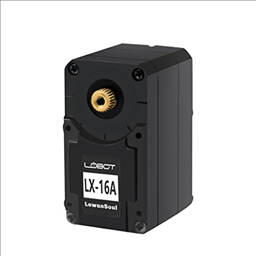 Lewansoul Servo
— Control LewanSoul LX-16A servos via ARC (EZ-B v4/IoTiny): assign virtual ports, read positions, set speeds, and enable continuous rotation.
Try it →
Resolved by CochranRobotics!
Lewansoul Servo
— Control LewanSoul LX-16A servos via ARC (EZ-B v4/IoTiny): assign virtual ports, read positions, set speeds, and enable continuous rotation.
Try it →
Resolved by CochranRobotics!
i installed the gyro and made the script. sofar it doesn do anything.

Yes. I dont have one, but I would believe that this would be right based on what is available for sale in the store.
got error in line 11 cant find loop?
Make sure the 3rd line has
Nomad, check Skype.
nomad TMBS , you are very close , yes use the MPU9150, but first add an MPU9150 control to your project. Then look at the variables in the MPU9150, they are not the same as the MPU6050. Try this,
ControlCommand("MPU9150", Init)
sleep(100)
:loop
ControlCommand("MPU9150", RunOnce)
$initheading=round($CompassHeading,0)
print($initHeading)
print("AccelX AccelY AccelZ CompassHeading") print($accelx + " " + $accely + " " + $accelz + " " + $initheading)
print("CompassX CompassY CompassZ") print($compassx + " " + $compassy + " " + $compassz)
print("GyroX GyroY GyroZ") print($gyrox + " " + $gyroy + " " + $gyroz)
sleep(1000)
goto(loop)
Nomad will post the working script. For some reason, the variables were not recognized in the script (even using the correct names). We had to assign new variables and then assign these variables the values from the AccelX and AccelY variables and then use the new variables in place of these in the script. He will post it and you will see what I am talking about. Weird.
from what I remember, this script worked but I am not connected to his computer to see anymore.
here's the script for the gyro