

Takumi_Robo

File Manager Won’T Release Read File
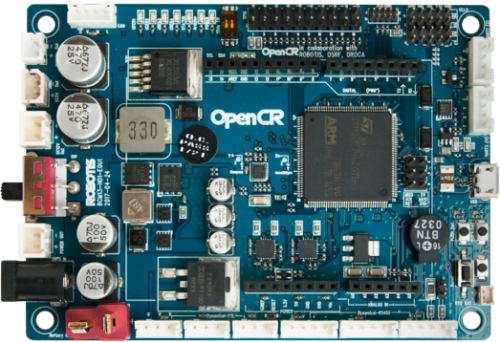
Using an OpenCR 1.0 over USB on Windows (COM5 at 921600, flashed with DJ’s OpenCR firmware) as my EZB, I’ve got ARC driving a few servos fine. On project start I load calibration offsets from a text file using an EZ-Script, and later a Python script appends updated values back to the same file. The File Manager skill keeps showing the file as open for reading even after I call FileReadClose(), and my Python append then throws LOCKED / In Use Elsewhere.
My EZ-Script looks like this:
# Init script
$path = "c:\robot\offsets.txt"
FileReadOpen($path)
:loop
$line = FileReadLine()
if ($line = EOF)
  goto(done)
endif
# parse $line here
goto(loop)
:done
FileReadClose()
And the Python append later is just:
with open(r"c:\robot\offsets.txt", "a") as f:
    f.write(f"{GetTime()}\t{GetVar('$last_offset')}\n")
What I observe:
- File Manager lists c:\robot\offsets.txt under Open Files long after the init script completes.
- Python append intermittently fails with LOCKED; if I stop all scripts and disconnect/reconnect the OpenCR connection in ARC, File Manager clears and then append works.
- I added extra FileReadClose() calls, small delays before the Python append, and verified only one instance of the init script runs at startup, but the lock still happens occasionally.
Is there a reliable pattern in ARC to guarantee the read handle is fully closed so File Manager drops it and a Python script can safely append to the same file, or must FileReadClose() be invoked from the exact same script instance that did FileReadOpen()?
Related Hardware (view all EZB hardware)
Related Robot Skills (view all robot skills)



Yes - in ARC, the same script instance that opened the file should be the one that closes it.
What you’re seeing usually means one of these is happening:
Important ARC behavior
ARC’s file read handle is tied to the running script context. So if
FileReadOpen()is called in one script run,FileReadClose()should be called in that same run.If you try to close it from a different script, or from a later run that doesn’t own that handle, ARC may not release it the way you expect.
What I’d recommend
1) Keep open/read/close in one script only
Your init script should look more like this pattern:
If your ARC version supports
FileReadClose($path), prefer passing the filename explicitly so there’s no ambiguity.2) Avoid leaving the script via errors or interrupts
If the script can terminate early, the close may not run. A common pattern is to make sure the close happens in a guaranteed cleanup section.
3) Don’t mix read and append at the same time
If the init script may still be active when your Python script tries to append, you’ll get exactly the lock behavior you described.
A safe pattern is:
$calibrationLoaded = true4) If possible, read the file all at once instead
If the file is small, using a full read instead of line-by-line open/read can reduce lock problems. For example, the file skills and scripts in ARC are more reliable when they don’t leave a handle open longer than necessary.
About your Python append
If your Python is running inside ARC, the file lock can still come from ARC’s file manager if another script has it open. The fact that disconnecting/reconnecting clears it strongly suggests the handle is still being retained by ARC, not Windows.
Also, in ARC Python, I’d normally suggest using ARC file commands consistently rather than mixing ARC file reads with native Python file I/O if the same file is involved.
Best practice
For reliability:
A couple of questions
FileReadOpen/FileReadLine/FileReadClosecalls inside the Script skill?If you want, I can show you a robust ARC Python version that reads the calibration file, parses it, and safely appends later.