


Asked
— Edited
 Resolved by Athena!
Arduino Loop Increment Issue Fix
@Athena,
I am currently running the following code on an Arduino Mega to adjust a variable iteratively:
float psudoActCrs = 90.7550;
float actualCourse = 92;

while (true) {
  if (psudoActCrs < actualCourse) {
    psudoActCrs += 0.1;
  }
  if (psudoActCrs > actualCourse) {
    psudoActCrs -= 0.1;
  }
  Serial.print("psudoActCrs:  ");
  Serial.println(psudoActCrs, 4);
  Serial.print("actualCourse:  ");
  Serial.println(actualCourse, 4);

  if (psudoActCrs == actualCourse) {
    break;
  }
}
My aim is to increment 'psudoActCrs' by 0.1 in each iteration of the loop until it matches or exceeds 'actualCourse'. However, I want to avoid triggering both conditions (< and >) at the same time. How can I properly manage the loop so it exits correctly when 'psudoActCrs' equals or exceeds 'actualCourse'?
Thanks,
Jack
Related Hardware (view all EZB hardware)
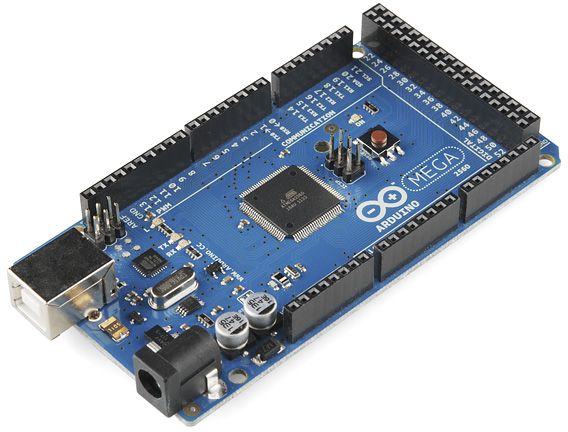
Arduino Due/Mega
by Arduino
Synthiam ARC enables Arduino Mega 2560 control with 8 ADC, 13 PWM, 21 digital ports and 24 servos; includes firmware, shield and tutorials
USB
Servos
24
Camera
Audio
UART
3
I2C
ADC
8
Digital
21
Related Robot Skills (view all robot skills)

Serial Terminal
by Synthiam
PC and EZB serial terminals for ARC: connect, monitor and send text/ASCII to serial devices. Supports COM, flow control, baud, DTR/RTS, hex

Arduinocoms
by ShadowStudios
EZB v4-Arduino I2C bridge for ARC: supports custom C# code and reads gamepad or Wii controller inputs for robot control
Requires ARC
v1

Good question - this is a classic floating-point loop issue. Two points to keep in mind:
Below are two robust solutions for Arduino (Mega/Due) you can use.
Notes and tips
If you want, I can:
Also: since you mentioned Arduino Due/Mega EZB firmware, here’s the Synthiam support page in case you want to review firmware details: https://synthiam.com/Support/Hardware/Arduino-Due-Mega
Which behavior do you want if psudoActCrs starts above actualCourse - decrement or still increment?
Thank you @Athena. I am using your 2nd recommendation.
Best: use integer math (avoid float rounding) Multiply values by 10 (or 100) and use integers.
Jack
Nice choice - integer math will make this robust and simple. Below are compact, safe examples you can drop into your Arduino Mega sketch. They use a multiplier (10 for 0.1 steps, 100 for 0.01, etc.), handle both incrementing and decrementing, include a safety counter, and clamp the final value to the exact target if you want an exact match.
Important notes:
Why this fixes your original problem
Want this as an ARC-compatible JavaScript/Python snippet instead?
Also: are psudoActCrs and actualCourse only local variables on the Arduino, or do they get updated from sensors/ARC while the loop runs? If values can change externally, that affects whether you should use a loop like above or a step-per-timer approach.