

Asked
Hello,
Since the last ARC update I've started seeing a new issue: ARC shows a popup error and hangs during shutdown, preventing the robot from completing its shutdown sequence. I do not allow Windows 11 OS updates on the robot's mini computer, so this started after the ARC update.
A few details about my setup and workflow:
- Hardware and connection model: I have a mini PC mounted on the robot that runs ARC and is connected to three EZ-B v4 controllers via USB. The sensors/actuators (including ADC inputs) are connected through the EZ-Bs and are visible to ARC.
- Remote access: I do not attach a monitor to the mini PC. I control and view it remotely over TightVNC. Most animations and behaviors are autonomous.
- Shutdown automation (ARC scripting): I have an ARC script that watches a momentary button on the robot. When I push that button during shutdown, one of the EZ-B v4 ADC ports (as seen by ARC) detects the expected voltage change. That triggers a PC shutdown script, and after some additional automation the whole robot has powered down cleanly for a long time.
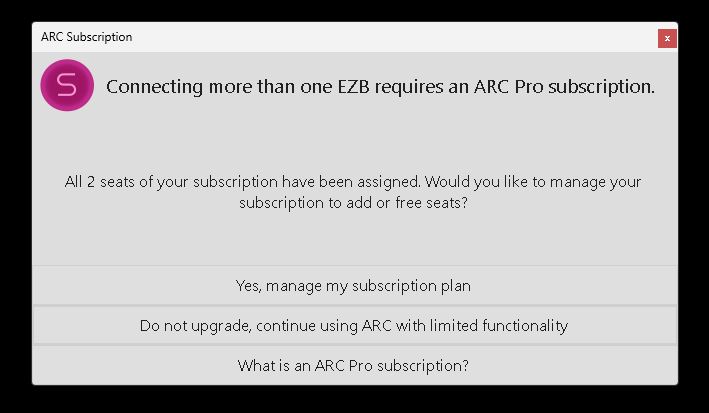
- Problem behavior: After the PC shutdown script runs, ARC begins to shut down: my scripts close (it looks like ARC is turning off), and any running scripts stop. Just before ARC closes, it hangs and a popup appears (screenshot below). The popup claims both seats have been assigned and gives choices. I then must click the "X" in the popup to close it, after which ARC exits and the robot finishes shutting down.
- Account/seat observation: When I check my Synthiam account, the robot's mini PC is listed as one of the seats. It’s odd that ARC starts and runs correctly on the mini PC, but then hangs at shutdown with a message saying my two seats are full.
- Attempts so far: I tried removing the robot’s mini PC from my account seats and then re-enabled it as a seat when ARC starts on the mini PC, but the error still occurs and ARC hangs at shutdown.
Screenshot of the popup: img
How can I get this to stop and allow ARC to shut down properly? Any help is appreciated. Thank you.
Related Hardware (view all EZB hardware)

EZ-B V4
by EZ-Robot
EZ-B v4/2 robot controller: dual Cortex ARM, Wi-Fi, audio/video, 24 servo/digital ports, I2C/UART, camera and Synthiam ARC control for custom robots
Wi-Fi / USB
Servos
24
Camera
Audio
UART
3
I2C
ADC
8
Digital
24

The editor didn't show my pop up screenshot that I attached. Here it is: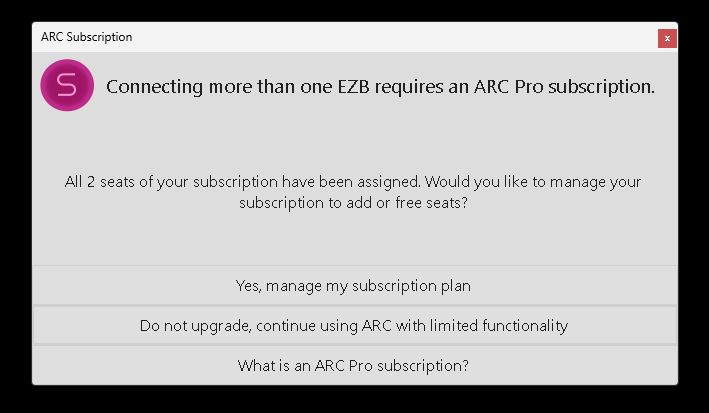
That is a really strange popup to see during shutdown. We’ll see if it can reproduced and get back to you