



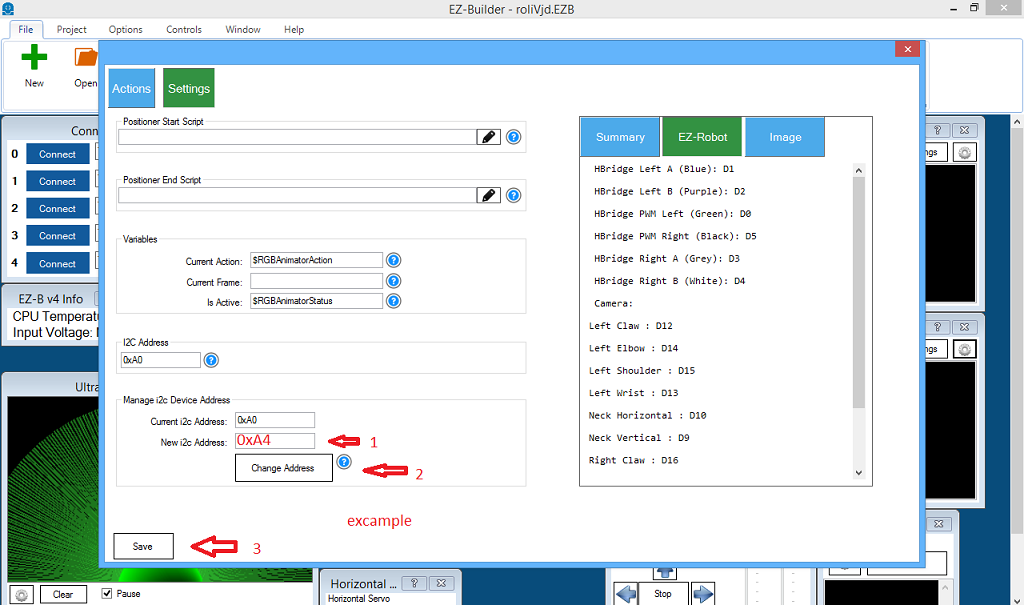
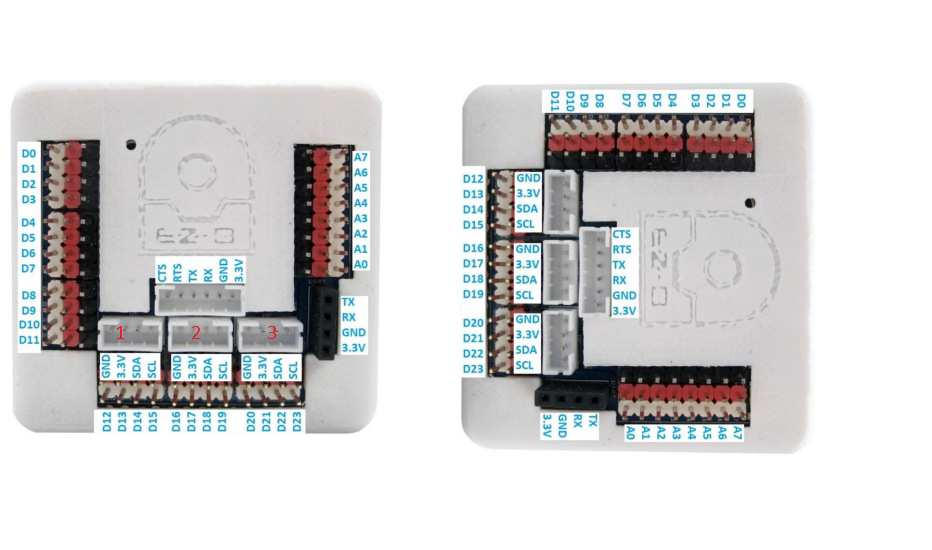
i know i asked this before.but i cant find the topic. my question is ,if i change a 12c port as in pic below. how do i now withs port i changed on ezbv ?sinds there are 3 ports.
 Interface Builder
— Create touchscreen robot control panels with buttons, joysticks, sliders, camera views and scripts; multi-page fullscreen UIs for PC and mobile.
Try it →
Interface Builder
— Create touchscreen robot control panels with buttons, joysticks, sliders, camera views and scripts; multi-page fullscreen UIs for PC and mobile.
Try it →
 Resolved by Athena!
i know i asked this before.but i cant find the topic. my question is ,if i change a 12c port as in pic below. how do i now withs port i changed on ezbv ?sinds there are 3 ports.



Stay on the cutting edge of robotics with ARC Pro, guaranteeing that your robot is always ahead of the game.
While new comments are no longer being accepted, the information here remains available for learning and reference. Check the most recent comment for additional details.
Here’s your previous posts and questions: https://synthiam.com/User/nomad-6r/ForumPosts
thanks dj
You bet. Hope you find your original question
However, remember that all ezb i2c ports are the same. They are duplicate of each other. Each port is not separately addressable.
i dont see it.also would be good to have the possebility to change the name , of the window rgb.excample rgb1 or rgb left
There is no need to change the name of the three ezb i2c ports. All three i2c are the same ports. It doesn’t matter what i2c port your device is connected to. They are all the same port. Just like a power bar for your home electricity, all plugs are the same. The i2c is the same for all plugs.
The i2c connectors on the ezb are the same. They are not different. They have the same signal and same wires and same power. The i2c connectors on the ezb are the same. They do not have different signals. They do not have different addresses or different power. It’s all the same.
Find out more in the ezb datasheet here: https://synthiam.com/Tutorials/Lesson/18
Hope that helps!
now am lost it. i thougt you could change it 0xA0 OR 0XA2
You can change the address if i2c devices that support that feature. The RGB Animator does Support that feature. The port that the RGB Animator is connected to is irrelevant.
All i2c ports on the ezb are the same. They share the same connection and signal and power.
ah there's is no way of telling withs is withs rgb in ARC if you use more , then one.
the adres is only changeble in the rgb not in the ezbv4.