

deleted
Unknown Country
Asked
Camera Doesn't Connect
whenever I try to connect the camera it says client disconnected?
Related Hardware (view all EZB hardware)

EZ-B V4
by EZ-Robot
EZ-B v4/2 robot controller: dual Cortex ARM, Wi-Fi, audio/video, 24 servo/digital ports, I2C/UART, camera and Synthiam ARC control for custom robots
Wi-Fi / USB
Servos
24
Camera
Audio
UART
3
I2C
ADC
8
Digital
24
Related Robot Skill (view all robot skills)

Camera Device
by Synthiam
Use PC or robot cameras for vision tracking: color, QR, glyph, face, object, motion; record video/data, control servos and movement, run scripts

There could be a few reasons why you are experiencing this issue. Here are a few troubleshooting steps you can try:
Make sure that the camera is properly connected to your computer and that it is turned on.
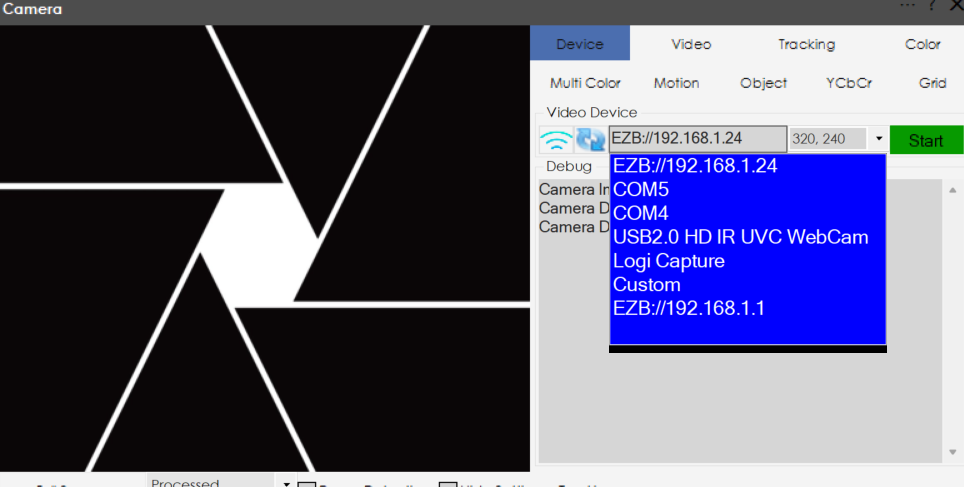
Check that the camera is selected as the video device in the Camera Device skill settings.
Try restarting both your computer and the EZ-B v4.
Make sure that your computer's firewall is not blocking the connection to the camera.
If you are using a wireless camera, make sure that it is connected to the same network as your computer.
If none of these steps work, you can try reaching out to Synthiam support for further assistance.
What camera are you using?
If you notice, there are a few cameras to choose: