Translate— Translate text via Microsoft Translator (auto-detect); EZ-B plugin stores translated and detected language variables. Requires Azure key.Try it →
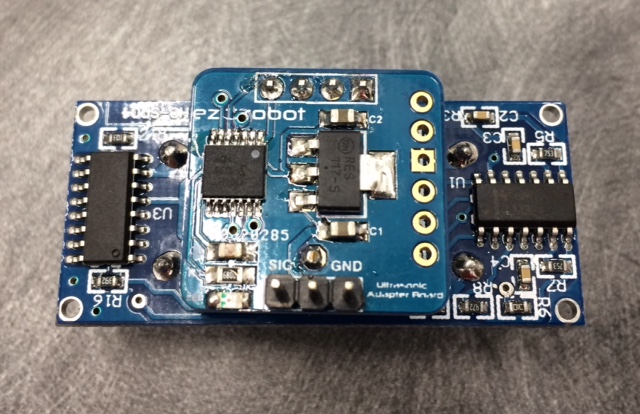
what i mean is the version 2 wire conection.you can switsh them and there,
is no pic how the wire is correct connected.white on the left or right side.
Oh, please connect the black wire to the right side, if you look very closely you can see the label 'GND' which stands for ground and is the black wire connection.



Sorry for the late response @Nomad
Here you go:
hi jeremie
what i mean is the version 2 wire conection.you can switsh them and there, is no pic how the wire is correct connected.white on the left or right side.
thanks
Oh, please connect the black wire to the right side, if you look very closely you can see the label 'GND' which stands for ground and is the black wire connection.
ah yes .the more easier,the more diff is for me ,lol thanks.