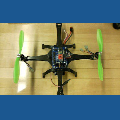
Does EZ-B support analog and digital imput? Does EZ-B support open and closed loop robotics?

RCStartToFinish
USA
Asked
— Edited
1 Participant
 Conversational Menu
— Voice menu tree to navigate options and run scripts on ARC robots. Multi-level, customizable prompts, speech I/O, timeout and repeat/back.
Try it →
Conversational Menu
— Voice menu tree to navigate options and run scripts on ARC robots. Multi-level, customizable prompts, speech I/O, timeout and repeat/back.
Try it →
Does EZ-B support analog and digital imput? Does EZ-B support open and closed loop robotics?

There is this manual: manual Try looking it over.
Also check out Turtorials/Hardware Compatibility
It has ATD input ports for transfering analog to digital signals. Communication port: I2C and Serial U-Art. As for open and closed depends on how you design your system.